
Subcontractor management software
Subcontractor management software handles the work of coordinating trades you do not employ: onboarding them, holding their compliance documents, scheduling them, communicating changes and paying them. Builders usually reach for it when the number of subs on a job passes the point where email and a phone can keep them straight.

Ressio Staff
October 9, 2026
Subcontractor management software keeps track of the trades you hire but do not employ. It holds their insurance and documents, gives them their dates and plans, and ties their work to purchase orders and bills.
Builders usually go looking for it when email and phone calls stop keeping the subs straight.
A certificate expires without anyone noticing. A sub shows up to a job that is not ready. A bill comes in higher than the price you agreed.
This guide covers what this software does, the tools worth looking at, and how we handle subs for custom home builders in Ressio.
Subcontractor management software at a glance
| Tool | Built for | Strongest at |
|---|---|---|
| Ressio | Custom and semi-custom home builders | Subs on a magic-link portal with their tasks, plans and compliance, plus POs matched to bills |
| Buildertrend | High-volume builders | Bids, scheduling and client communication in one place |
| JobTread | Trade contractors and lean teams | Estimating and job management, with customer and vendor portals |
| Procore | Large commercial general contractors | Document control, compliance and accounting integration |
| Knowify | Small to mid specialty trade contractors | Digital subcontracts and QuickBooks-linked billing |
| Contractor Foreman | Budget-minded contractors in any trade | Broad feature coverage for a small team |
| Fieldwire | Field teams | Plans, punch and task coordination on a phone |
What does subcontractor management software do?
It covers five jobs:
- Records: a sub's insurance certificate, license and tax forms in one place, not in an inbox.
- Compliance: an expiring certificate flagged before the sub is on site.
- Scheduling: each sub sees their own dates and hears when they move.
- Plans and communication: subs work from the current drawings, with questions tied to the task.
- Payment: purchase orders, bills and approvals tracked against the job budget.
Most tools do two or three of these well. The value comes from having all five in one job file.
1. Ressio: best for custom home builders
Ressio is construction management software for custom and semi-custom home builders. We built our vendor portal so your subs get what they need without a login, and you stop being the middleman.
Builders say it plainly in their reviews. One wrote that Ressio "brings estimating, subcontractor bidding, project management, and client communication into one platform." Another values "the ability to keep all job information, including client conversations, vendor estimates, client invoices, vendor billing, etc. in one location."
Compliance that chases itself
The pain: an insurance certificate lapses mid-job and nobody is told. You find out when the sub is already on site.
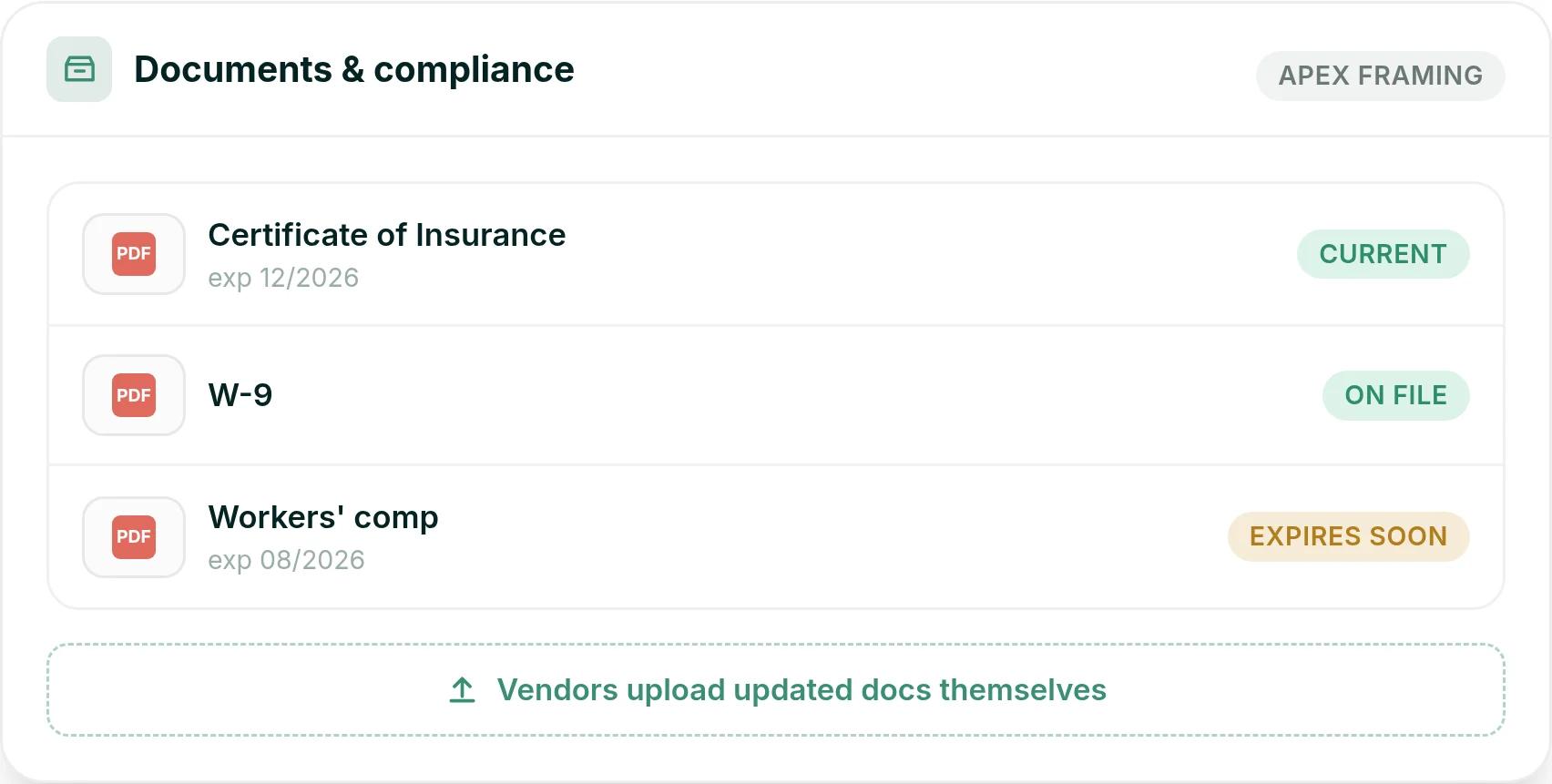
Subs view and upload their own compliance documents from the vendor portal: certificates of insurance, licenses and expiration dates. When a certificate is about to expire, we send the sub a reminder with a magic link. They upload the renewal, and you get notified.
Here is a hypothetical example. Apex Framing's insurance certificate is current to December 2026, their W-9 is on file, and their workers' comp expires in August. We mark it as expiring soon, send Apex the reminder, and you see the new document when they upload it, without making a call.
If you want more help collecting and checking certificates, we integrate with HoundDog, and our customers get a 20% discount on it.
Subs see their tasks and nobody else's
The pain: a date moves, and you phone every sub to tell them. Miss one, and they arrive to a site that is not ready for them.
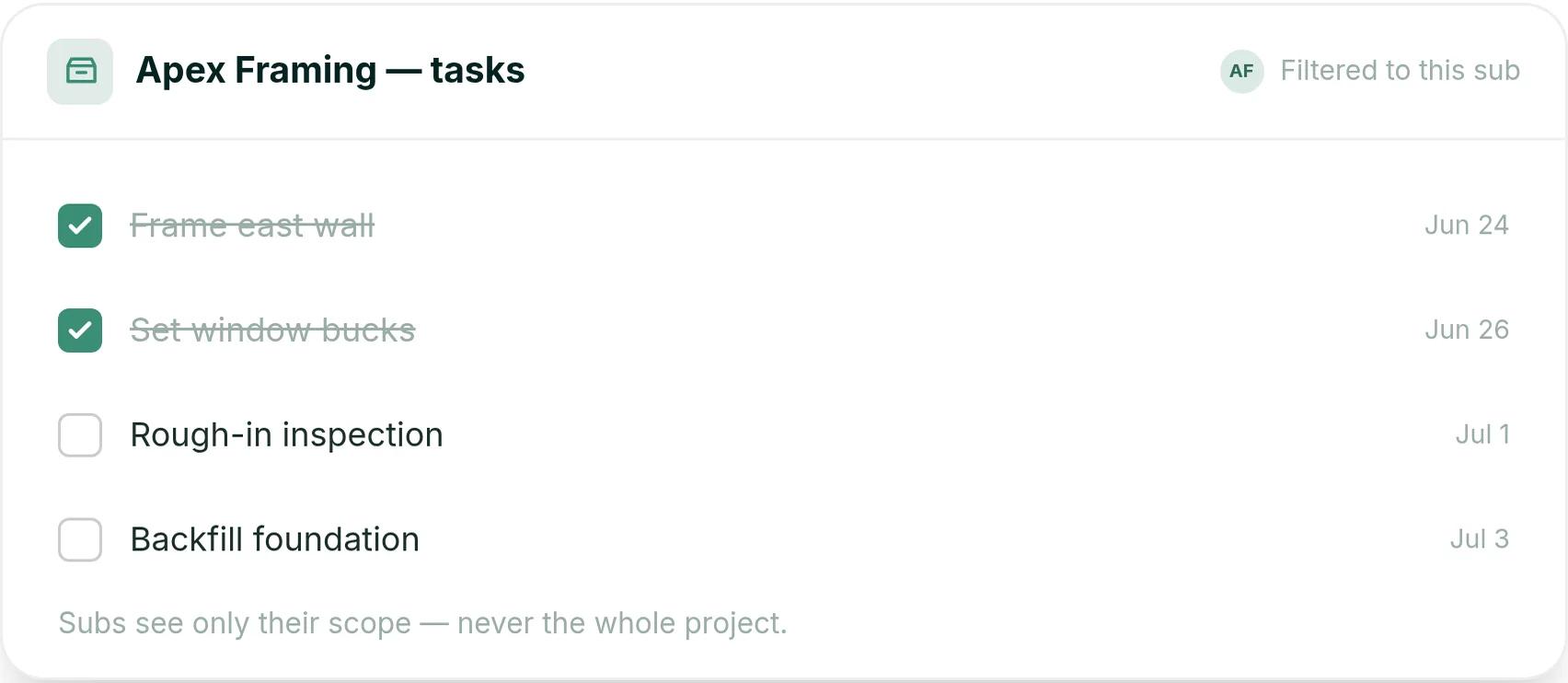
You assign subs to tasks on the schedule. Each sub gets an email with a magic link, taps it, and sees their own tasks, dates and files. They can confirm the task and message you on it, right from the notification.
On a hypothetical renovation, Apex Framing opens their link and sees four tasks: frame the east wall on June 24, set window bucks on June 26, the rough-in inspection on July 1 and backfill on July 3. They see their scope, and nobody else's.
And when a date moves, every downstream task reschedules, so the sub's dates update without you phoning around.
Everyone builds from the current plans
The pain: a framer builds from a printout three revisions old. The wall gets framed twice.
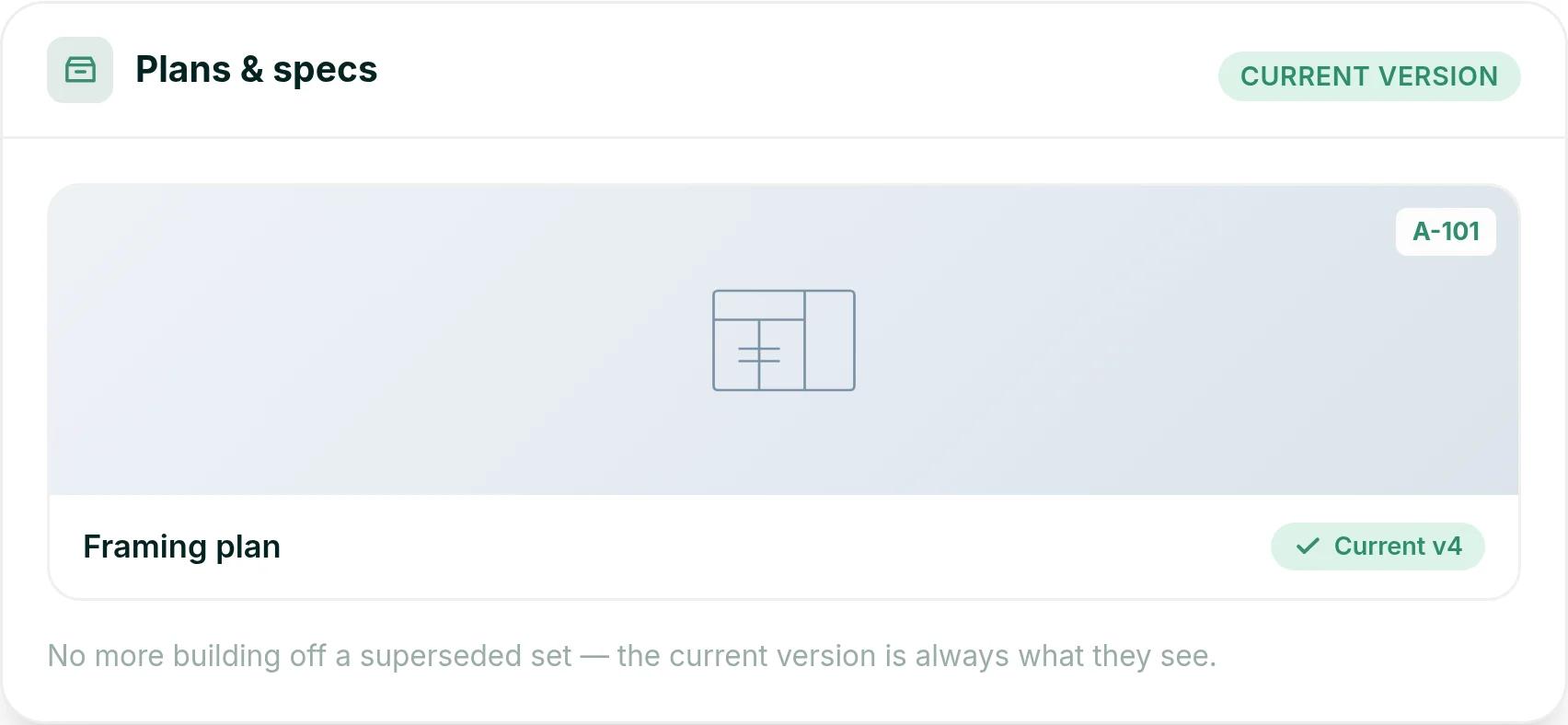
You share specs and drawings with subs through the vendor portal, and they always see the current version. On site, subs can open the Plan Room from a QR code. Your internal specs stay hidden.
So a framer opening the A-101 framing plan sees version 4, not a printout from three revisions ago. Revisions update on their own, so the portal always shows the current set.
POs and bills that match
The pain: the invoice runs over the purchase order. You find out after you have paid it.
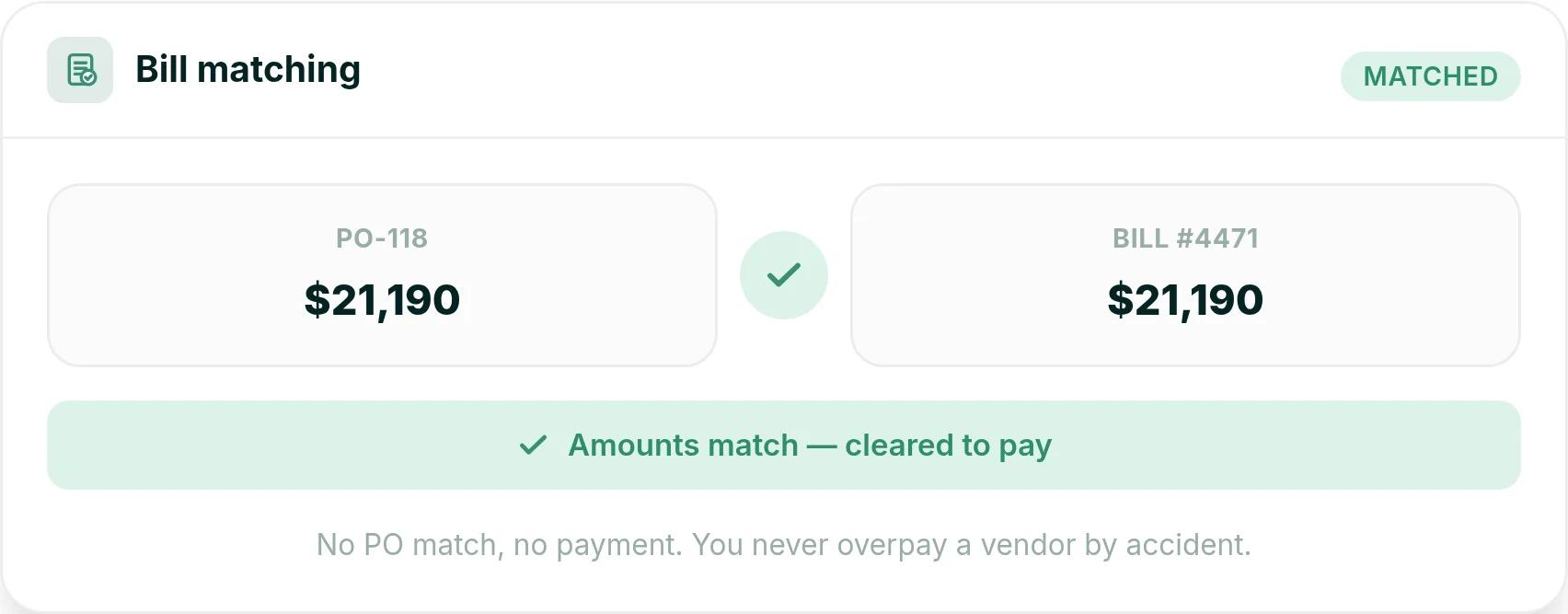
You issue a purchase order tied to the job and a budget line, and the vendor gets it in their portal. When the bill comes in, you match it to the PO. If the bill is higher than the PO, we flag it before you approve payment.
Say a hypothetical lumber order goes out as PO-118 for $21,190. The yard's bill #4471 arrives at $21,190, matches the PO, and is cleared to pay. Approved bills sync to QuickBooks Online, so nobody re-keys them.
See how your subs would use Ressio: book a Ressio demo and bring a job with subs on it.
2. Buildertrend: best for high-volume builders
Buildertrend suits high-volume builders and firms that run commercial buildouts alongside their homes. It puts sales, scheduling, budgets and client updates in one platform, with a sub portal and an app for trades.
Scheduling is its strong suit. When a date moves, crews, subs and clients see the change. "I'm able to manage subs, monitor progress and update homeowners in real time with live changes to the schedule all from the same platform." (Ben T., renovation project manager, Capterra, July 2025)
The trade-off is setup and adoption. "At first, the range of features can feel overwhelming." (Mark B., VP of sales and estimating, Capterra, January 2026). Ben T. also found that "not all subcontractors were fast to transition to the app."
That last point is where we differ. In Ressio, subs open their tasks from a magic link. There is no app to install and no account to set up.
Buildertrend starts at $499 a month for the full platform, with unlimited users. Paying a year up front saves 10%. Your final price depends on your yearly construction volume and onboarding package.
3. JobTread: best for trade contractors and lean teams
JobTread is built for a wide range of contractors, from fence and electrical trades to general contractors. It suits teams that want one price with every feature included. Estimating is its strength, and it has customer and vendor portals.
Reviewers praise the estimating tools. One estimator wrote that "the ability to send bid requests and receive quotes directly through the platform saves a lot of time." (Kharla D., estimator, Capterra, October 2025)
Client selections are the weak spot. A general contractor wrote that "the selection item would be the most difficult to use." (Houston T., owner and general contractor, Capterra, October 2025)
JobTread costs $199 a month, plus $20 a month for each internal user after the first. Annual plans save 20%. There is no contract and no setup fee.
4. Procore: subcontractor management software for commercial contractors
Procore suits large commercial general contractors, owners and the specialty contractors who work under them. Every company on a project can work in it, and there are no per-user fees.
Document control is the strength. Drawings, RFIs (requests for information), submittals and change orders live in one place. A project engineer who sends documents to GCs through it called it "one pane of glass for Subcontractors to communicate with GC's." (Matthew S., project engineer, Capterra, March 2025)
That depth takes training, and it lands on your subs too. One operations manager wrote that getting everyone aligned "can be challenging, especially for subcontractors new to digital tools." (Moath A., operations manager, Capterra, June 2025)
Ressio subs start without training. They tap a magic link, see their own tasks and files, and confirm the work from any phone.
Procore charges an annual fee for each product you buy. The fee is based on your annual construction volume, which is the total dollar value of the work you run through it.
5. Knowify: best for specialty trade contractors
Knowify suits small to mid-sized specialty trade contractors and small commercial GCs. It is strongest at contracts and billing.
It handles fixed-price, time-and-materials and AIA-style jobs, where you bill in pay applications against a schedule of values. You can send digital subcontracts straight from the project plan.
Its QuickBooks sync is a big reason people pick it. "Knowify is comprehensive enough to cover most things but not too big that the system becomes cumbersome to manage." (Geni L., business manager at a small GC, Capterra, September 2025)
One bookkeeper wanted more phone contact. "I would like to be able to pick up the phone and make a call occasionally and not have to communicate via email." (Christina H., bookkeeper, Capterra, September 2025) Knowify lists phone, email, chat and screenshare support on its plans.
Knowify Core costs $99 a month on a yearly plan, or $149 month to month, for one user. Advanced costs $329 a month yearly, or $399 monthly, with 10 users. Extra users are $29 a month each.
6. Contractor Foreman: best for budget-minded contractors in any trade
Contractor Foreman is built for contractors of every kind, from plumbers and electricians to general contractors. It suits small teams that want a long feature list at a low price. There is a 30-day free trial.
Reviewers like having it all in one place for little money. "We love how easy it is to manage the projects with all the costs, time used, estimates, and invoices all in one place." (Paul G., project manager, Capterra, October 2025). He also says he waits "a minute at most" for help in chat.
Big estimates are the sore spot. Paul G. wrote: "When making very large estimates the software slows down a lot."
Custom homes mean big, multi-phase estimates. Our estimating is built for complex custom builds and stays fast as the estimate grows.
Plans start at $49 a month for one user, billed yearly. Standard is $105 a month for up to 3 users, Plus is $166 for 8, Pro is $221 for 15 and Unlimited is $332.
7. Fieldwire: best for field crews working from plans
Fieldwire, owned by Hilti, is a jobsite app for plans, tasks and punch lists. It suits specialty contractors and general contractors whose crews need drawings and tasks on a phone or tablet.
Plan management is where it shines. "No more hunting around the computer or desk for the latest version." (Richard C., project manager, Capterra, June 2020)
Its plans list no estimating, purchase orders or insurance tracking. "No good for bids or estimating." (Jonathan M., project manager, Capterra, June 2021)
In Ressio, subs open the current plans from a Plan Room QR code. The same job holds their insurance certificates, purchase orders and bills.
The Basic plan is free for up to 5 users and 3 projects. Paid plans are priced per user per month, billed yearly: Pro is $39, Business is $64 and Business Plus is $89.
What to check before you buy
These are the four places sub management usually slips, and what we do about each one in Ressio.
- An expiring certificate reaches you without anyone going looking. A folder of documents is not a control: in Ressio the sub gets the reminder and you get the renewal.
- A sub who needs a paid seat or a login will text you instead. Ressio subs work from a magic link.
- Subs see the current plans. We show the current version in our vendor portal and the Plan Room.
- Every bill is checked against what you agreed. In Ressio each one is matched to its PO before you pay.
Frequently Asked Questions
What is subcontractor management software?
Subcontractor management software tracks the subs on a job: their insurance and license compliance, their tasks and dates, the plans they build from, and their purchase orders and bills. In Ressio, we do this through a vendor portal that subs open from a magic link, with no login.
What is the best subcontractor management software for home builders?
For custom and semi-custom home builders, Ressio covers compliance, tasks, plans and payment in one job file, and subs use Ressio from a magic link. Procore suits large commercial general contractors, and Knowify suits specialty trade contractors.
Do subcontractors need their own login?
In Ressio, no. Subs get an email with a magic link and land on their own tasks, dates, plans and documents. They can confirm tasks and upload compliance documents without creating an account.
How do you track subcontractor insurance certificates?
Keep each certificate with its expiration date in your sub management software, and have reminders go out before it lapses. In Ressio, subs upload certificates to the vendor portal, we send an expiry reminder by magic link, and you are notified when the renewal is uploaded.
Is subcontractor management software different from construction project management software?
It is usually part of it. In Ressio, sub compliance, tasks, plans and payments sit in the same system as your schedule, budget and client portal, so nothing about a sub lives in a separate tool.
Stop chasing certificates and texts from your subs. See how the Ressio vendor portal gives each sub their own tasks, plans and documents from one magic link.