
Pre Construction Checklist and Pre-Con Meeting Agenda for Builders
Most mid-build problems start as a pre-construction item nobody closed. Use this checklist and meeting agenda to lock the job before the first trade shows up.

Ressio Staff
October 9, 2026
A pre construction checklist is the list of decisions, documents and dates you lock before the first trade shows up. Scope, selections, permits, the schedule, the budget and who talks to whom.
Close those items early and a custom build runs on plan. Leave them open and they turn into change orders, delays and arguments in month four.
This guide gives you a full pre construction checklist for custom home builders, a pre-con meeting agenda you can copy, and a way to keep both alive once the job starts.
We built Ressio for custom and semi-custom home builders and remodelers. Our selections, scheduling, specifications and client portal are where this checklist lives after the meeting, so the decisions you lock stay locked.
What is a pre construction checklist?
A pre construction checklist is a list of every item a builder must close before work starts on site. It covers the contract, scope, selections, permits, site prep, trades, schedule, budget and communication. Each item gets an owner and a due date, so nothing reaches the field undecided.
Pre-construction is the phase between a signed contract and the first day on site. It is the cheapest time to change anything.
A finish changed on paper costs an email. The same change after the cabinets arrive costs a change order and a week.
The pre construction checklist for custom home builders
Use this pre construction checklist on every job. Copy it into your own system and add the items your market needs.
| Area | Item to close | Owner | Close before |
|---|---|---|---|
| Contract | Signed contract with scope, exclusions and payment schedule | Owner or sales lead | Pre-con meeting |
| Contract | Allowances listed by category with dollar amounts | Estimator | Pre-con meeting |
| Contract | Change order process agreed with the client in writing | Project manager | Pre-con meeting |
| Design | Final drawings issued and approved by the client | Designer or architect | Permit submission |
| Design | Specifications written for every scope item | Project manager | Trade bids |
| Selections | Selection list with a due date for each item | Project manager | Pre-con meeting |
| Selections | Long-lead items picked first (windows, cabinets, appliances) | Client | Order deadline |
| Permits | Building permit applied for and fees paid | Project manager | Site work |
| Permits | Septic, well, driveway or HOA approvals where they apply | Project manager | Site work |
| Site | Survey done and lot staked | Surveyor | Excavation |
| Site | Utility locates requested through 811 | Site lead | Any digging |
| Site | Access, parking, dumpster and toilet placement agreed | Site lead | Day one |
| Safety | Site safety plan written and shared with trades | Site lead | Day one |
| Trades | Subs and suppliers awarded and confirmed | Project manager | Schedule baseline |
| Trades | Insurance certificates on file for every sub | Office manager | First day on site |
| Schedule | Baseline schedule with phases and dependencies | Project manager | Pre-con meeting |
| Budget | Estimate locked as the job budget | Estimator | Pre-con meeting |
| Budget | Draw schedule set and shared with the client and lender | Owner | First invoice |
| Communication | One channel agreed for client questions and approvals | Project manager | Pre-con meeting |
Two items on that list trip up more builders than the rest.
Utility locates. 811 is the free national before-you-dig service. Contact your state 811 center a few business days before any digging so buried lines get marked with paint or flags.
Site safety. Residential sites carry the same hazards OSHA lists for all construction work, from falls off roofs to equipment strikes and electrocution. Put the plan on paper before the first crew arrives, not after the first near miss.
What should a pre-construction meeting cover?
A pre-construction meeting is a sit-down with the client, and often the lead trades, before work starts. It walks through scope, selections, schedule, budget, change orders and communication.
The goal is simple. Everyone leaves knowing what is decided, what is still open and who owns each open item.
Hold it after the contract is signed and before site work begins. Plan on one to two hours for a custom home. Bring the drawings, the selection list, the baseline schedule and the budget.
Construction meeting agenda template
Use this construction meeting agenda template for the pre-con. Each item ends with a decision or an owner, never a "we'll see."
Scope and client decisions
- Introductions and roles. Who the client calls, who runs the site, who handles money.
- Scope review. Walk the drawings and specifications room by room. Read the exclusions out loud.
- Allowances. Go through each allowance by category. Explain what happens when a pick goes over.
- Selections. Confirm the selection list and the due date for each item. Flag long-lead items.
- Schedule. Show the baseline schedule. Point out the dates that depend on client decisions.
Site, money and follow-through
- Permits and site. Permit status, survey, staking, access and where the dumpster goes.
- Budget and draws. Confirm the draw schedule and how invoices will be sent.
- Change orders. How a change gets priced, approved and added to the schedule.
- Communication. One channel for questions, how often you send updates and how fast you reply.
- Open items. Read back every open item with its owner and due date.
Send the notes the same day. If the notes sit in an email thread, the client will remember the meeting one way and your site lead another.
Where a pre construction checklist breaks down
A paper or spreadsheet checklist works for the meeting. It starts to fail the week after.
The selection list lives in a spreadsheet. The schedule lives in another file. The specs are a PDF from February.
The client approves the tile by text, and the PM never sees it. By framing, three versions of the truth exist, and the job budget matches none of them.
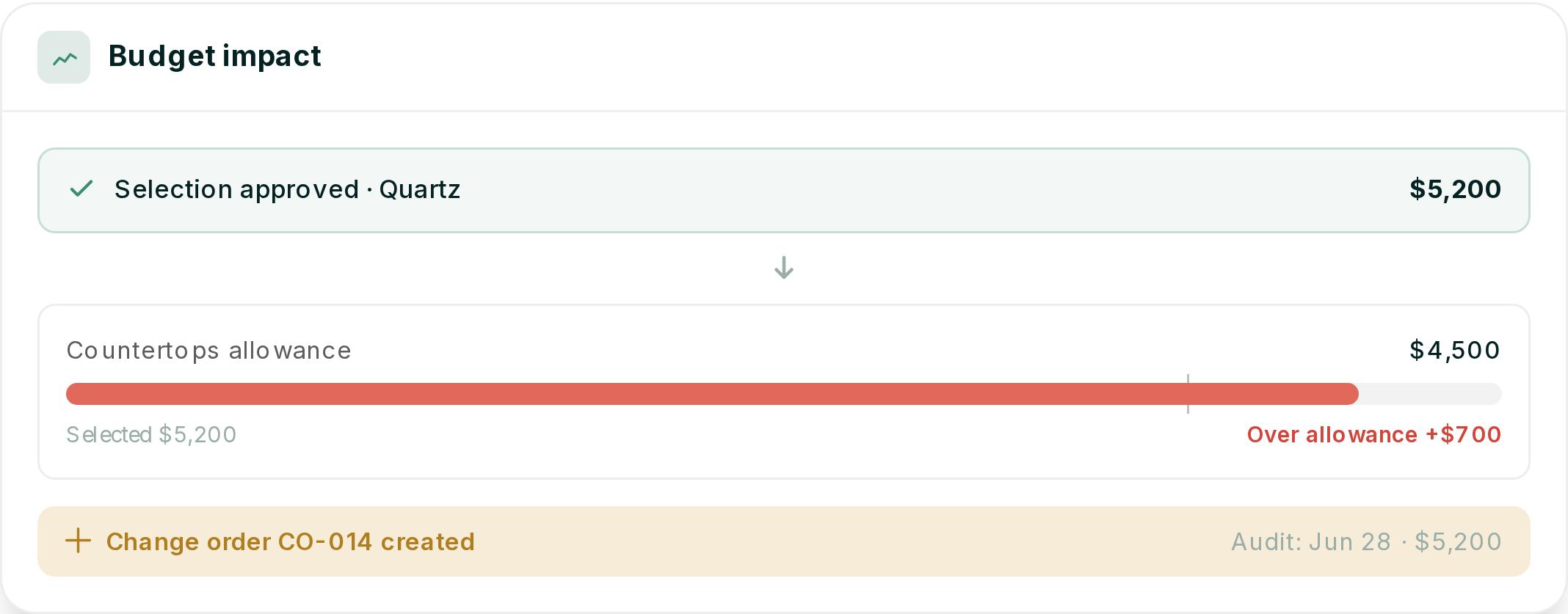
Picture a custom home where the client picks a quartz countertop two weeks late. The pick is $700 over the allowance. Nobody writes a change order, because the approval came by text.
The fabricator gets an old spec. At closeout, the client says they never agreed to the extra cost, and you have no record that they did.
Every item on that list was closed at the pre-con. Nothing kept it closed.
In Ressio, that quartz pick stays closed. You release the selection with its due date, and the client approves the $5,200 slab against the $4,500 allowance from a magic link in our selections and approvals. We timestamp the approval and store it on the project.
Because the pick is $700 over the allowance, the approval triggers a change order and updates the estimate and budget. The fabricator works from the current spec, and you have the date, the amount and the approval on record before anything is ordered.
How Ressio carries the checklist into the job
Ressio turns each checklist item into a live record on the job. Selections, scheduling, specifications and the client portal all share one project, so a decision made in the pre-con meeting updates everything that depends on it. Your team, your subs and your client work from the same version.
Selections with due dates and a record of every yes
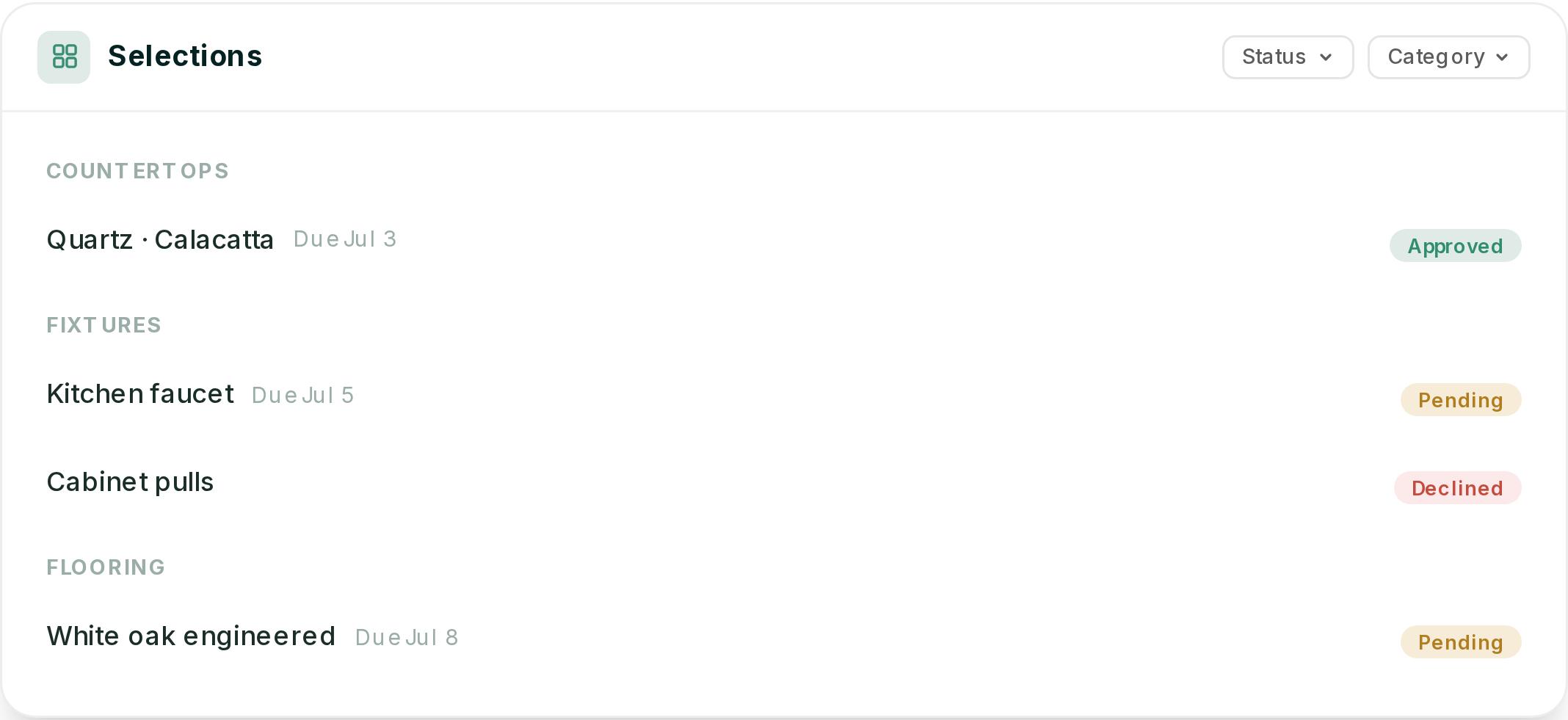
In Ressio selections and approvals, you set up the selection list by category with a due date on each item. You see at a glance what is pending, approved or declined.
When a selection is ready, you release it to the client. They review the details, photos and price, then approve or decline from a magic link. Every approval is timestamped and stored on the project.
A schedule built from your pre-con template
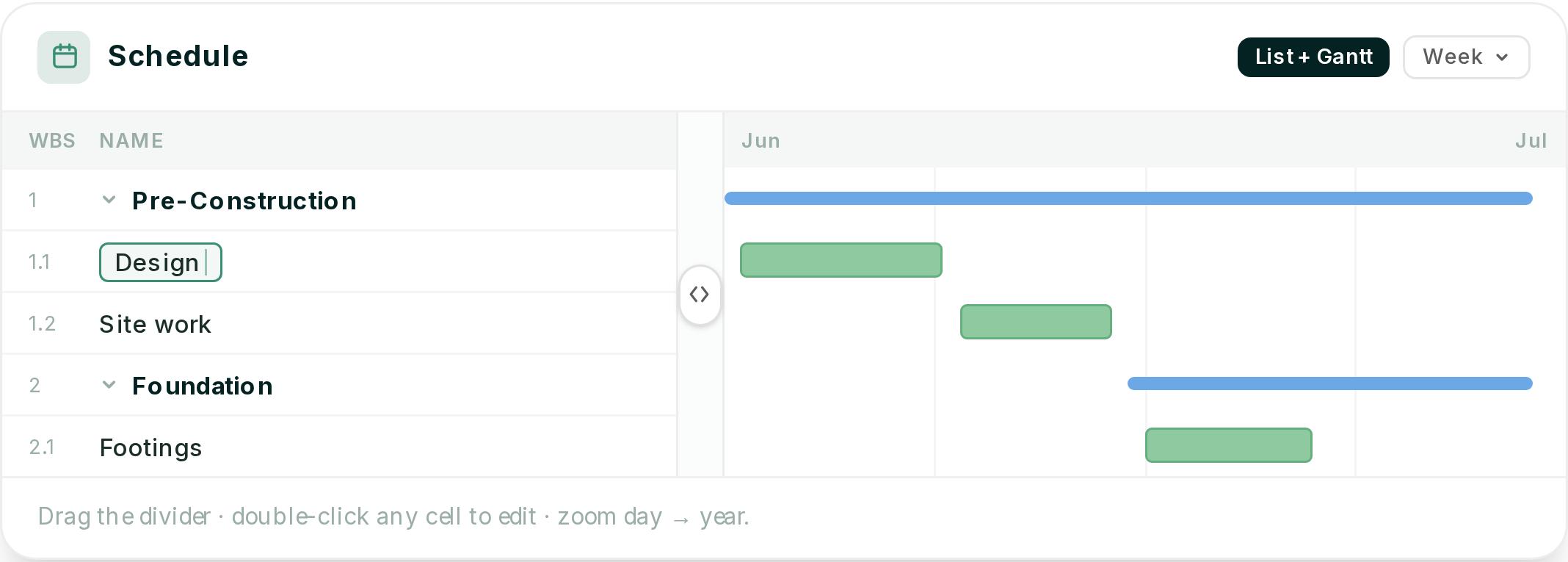
In Ressio scheduling, you start each job from a saved schedule template or copy one from another project. Add a pre-construction phase with tasks like site plan approval, staking the lot, permit applications and a selections meeting with vendors.
Set dependencies and lag between tasks. When a permit date slips, every task after it reschedules, so you are not calling each sub to pass on new dates.
Subs get their tasks by magic link and can confirm from the notification. Turn on critical path to see which pre-con items will push your finish date.
Specifications everyone builds from
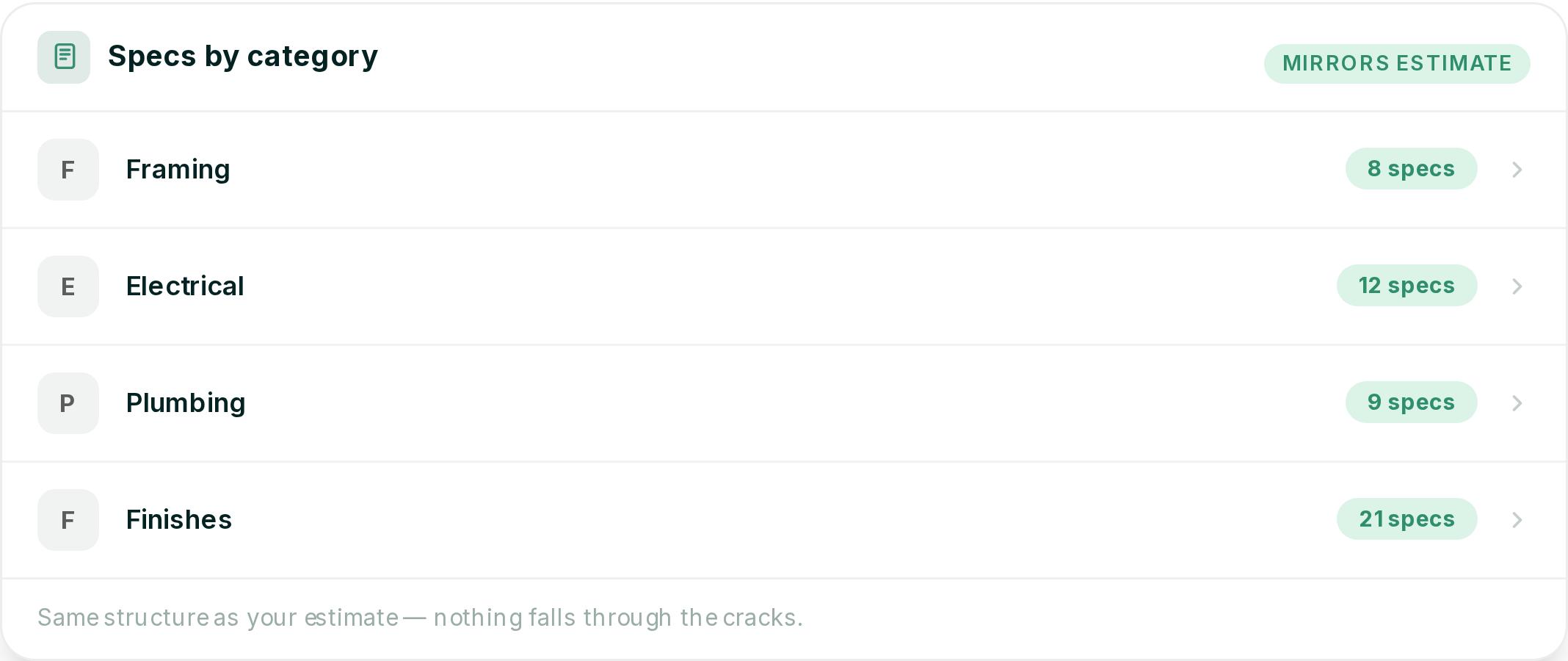
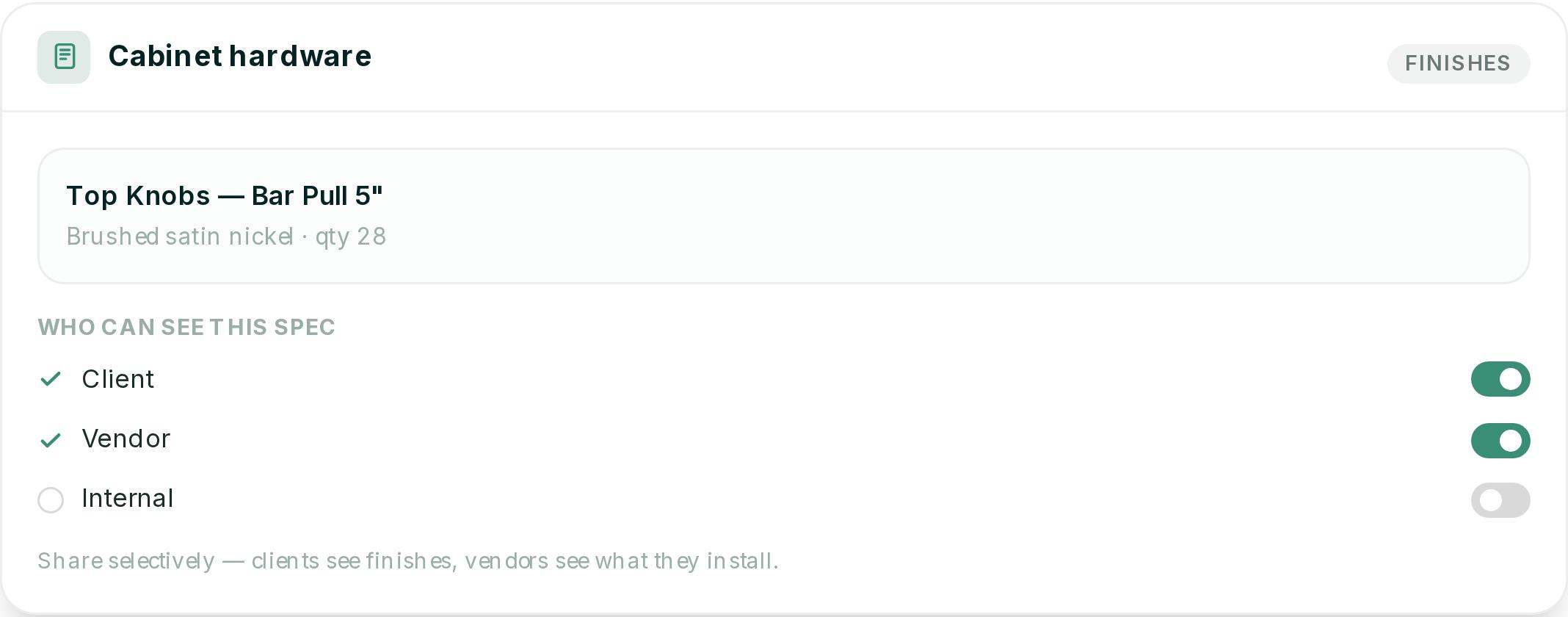
Ressio specifications mirror your estimate categories, and budget items sync to the spec sheet. Your spec is mostly built the moment your estimate is done.
Share specs with the client through the portal and with subs through the vendor portal. Attach cut sheets and photos to each item.
When a spec changes, everyone sees the current version, and the old one stays in the history. The fabricator works from today's spec, not a printout from three months ago.
A client portal that replaces the follow-up calls
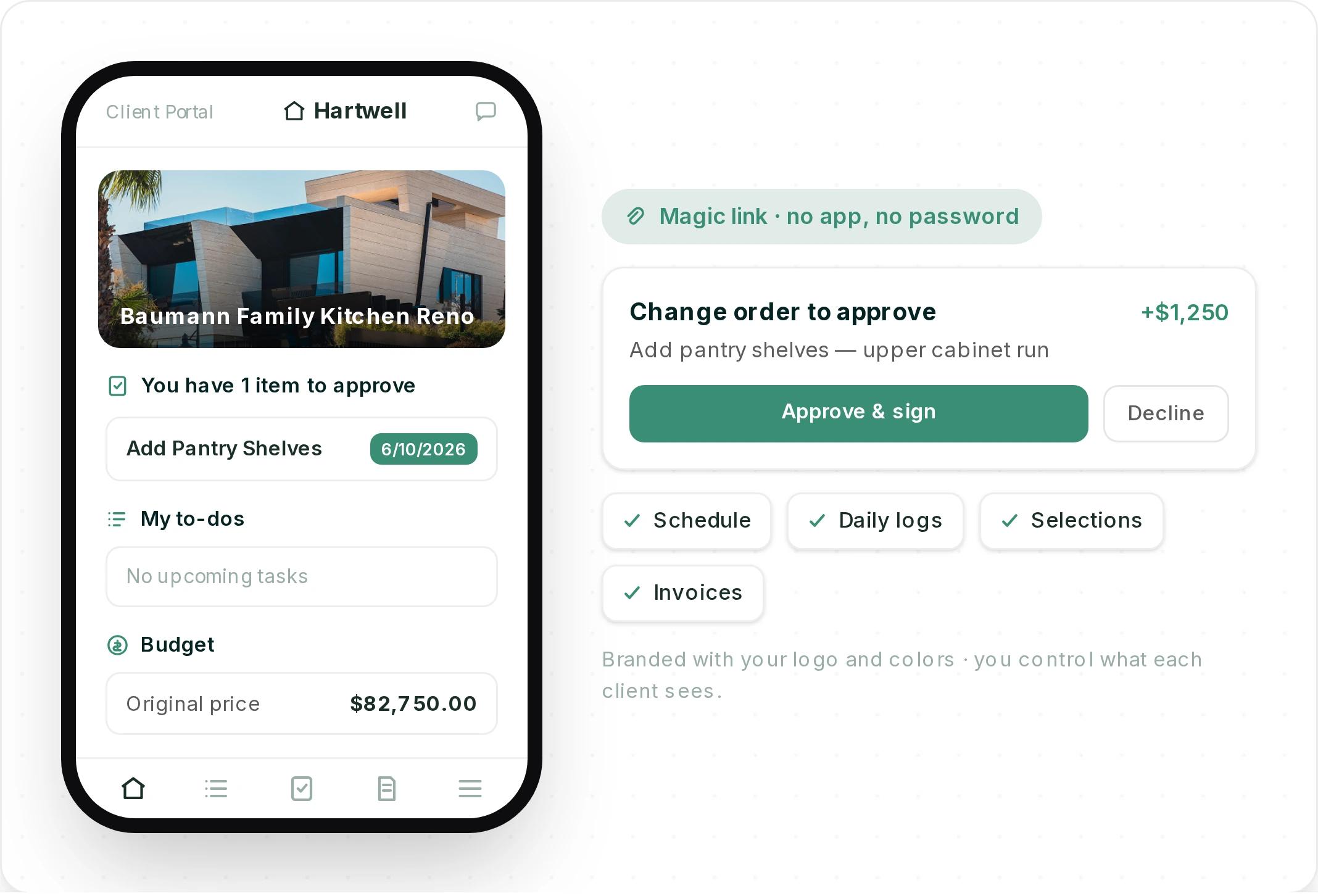
The Ressio client portal gives your client one place for their schedule, daily logs, selections, approvals and invoices. They get in through a magic link. No app, no password.
You choose what each client sees. Share the pre-construction phase and their selection due dates, keep internal notes private, and let them approve change orders and sign from their phone.
Want to see your own pre-con checklist running inside a live job? Book a Ressio demo and bring the selection list from your next build.
How do you keep the checklist current after the job starts?
Keep the pre construction checklist current by tying each item to a record that changes with the job. Selections update the budget when approved.
Schedule dates move when a dependency moves. Specs show the current version to everyone. A checklist that only lives in meeting notes goes stale the first week.
Three habits help no matter what tool you use:
- Review open items weekly. Every open selection, permit and sub confirmation gets a status and an owner.
- Put every approval in writing. A text is not a record. A signed, dated approval is.
- Change the schedule when a decision slips. A late selection is a schedule problem, not just a design problem.
For more on keeping a build on track after pre-con, read our guide to preventing construction delays on custom home builds. And for how the pre-construction handoff fits the full job, see our breakdown of the custom home building process.
The best pre-con meeting is the one you never have to repeat. Book a demo and we'll show you how selections, scheduling and specs carry your checklist from the pre-con table to closeout.
Frequently Asked Questions
What should be on a pre-construction checklist?
A pre-construction checklist should cover the contract, allowances, final drawings, specifications, selections with due dates, permits, survey and staking, utility locates, site safety, sub confirmations and insurance, the baseline schedule, the locked budget and the draw schedule. Give every item an owner and a due date.
Who should attend a pre-construction meeting?
The client, the project manager and the site lead should attend every pre-construction meeting. For a custom home, add the designer or architect and lead trades whose work depends on client decisions, such as cabinets or windows. Keep it small enough that every open item gets an owner.
How long before construction should you hold the pre-construction meeting?
Hold the pre-construction meeting after the contract is signed and before any site work starts. That leaves time to order long-lead items and pull permits. In Ressio, the meeting can sit as a task in the pre-construction phase of your schedule, with every dependent task tied to it.
What is the difference between a pre-construction checklist and a pre-con meeting agenda?
A pre-construction checklist lists every item to close before work starts. A pre-con meeting agenda is the order you walk through those items with the client.
The checklist runs for weeks. The agenda runs for one or two hours and ends with an owner on every open item.