
JobTread reviews
JobTread reviews run 4.9 to 5.0 across every directory. Here is what builders complain about underneath that number, and how each complaint works in Ressio.

Ressio Staff
October 9, 2026
JobTread's review scores are uniformly high: Capterra 4.9, Software Advice 4.9, G2 5.0.
That is not a trick and the product is well liked. Below is what builders complain about when they do, and how each one works in Ressio, the platform we build for custom and semi-custom home builders.
JobTread reviews: the scores, and what each one counts
JobTread reviews average 4.9 on Capterra and Software Advice and 5.0 on G2.
| Source | Score | Reviews |
|---|---|---|
| Capterra | 4.9 / 5 | 143 |
| Software Advice | 4.9 / 5 | 143 |
| G2 | 5.0 / 5 | 101 |
What JobTread reviews complain about, and how we handle it
JobTread reviews are mostly glowing, and the complaints that do appear point the same way. Here are the three that repeat on Capterra, and how we handle each one in Ressio.
1. Setup takes a long time
Reviewers who love JobTread still talk about the setup. Zach B. has "loved using jobtread, minus the setting up for our business needs." Greg D. called it "time consuming to set up initially" and said "there are a lot of nooks and crannies to build out" (Capterra).
For a custom builder, setup time is billable time you never get back. Two weeks spent building templates is two weeks your next estimate still lives in a spreadsheet.
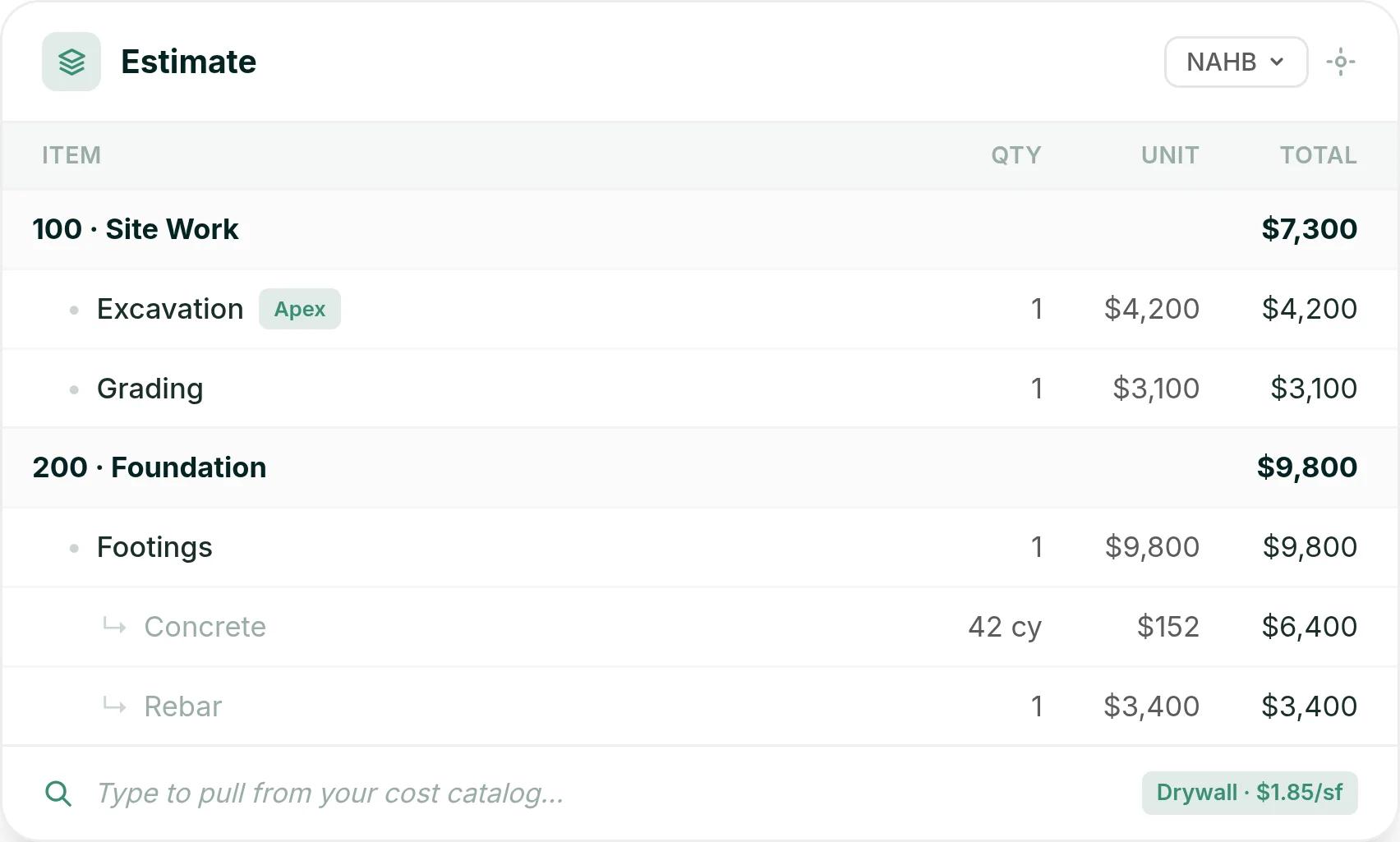
In Ressio estimating, every project you build becomes a reusable template. You can start from a template, copy a past job, or pull line items from your cost catalog, and most estimates are done in under an hour.
2. Selections that are hard to use
Philip K., a COO, put it in five words: "Selections has a clunky UI." Houston T., who credits JobTread with growing his company, said that if he had to name one con, "it would be the selection item would be the most difficult to use" (Capterra, October 2025).
For a custom home builder, selections are where the money moves. A client who cannot find the screen calls you instead.
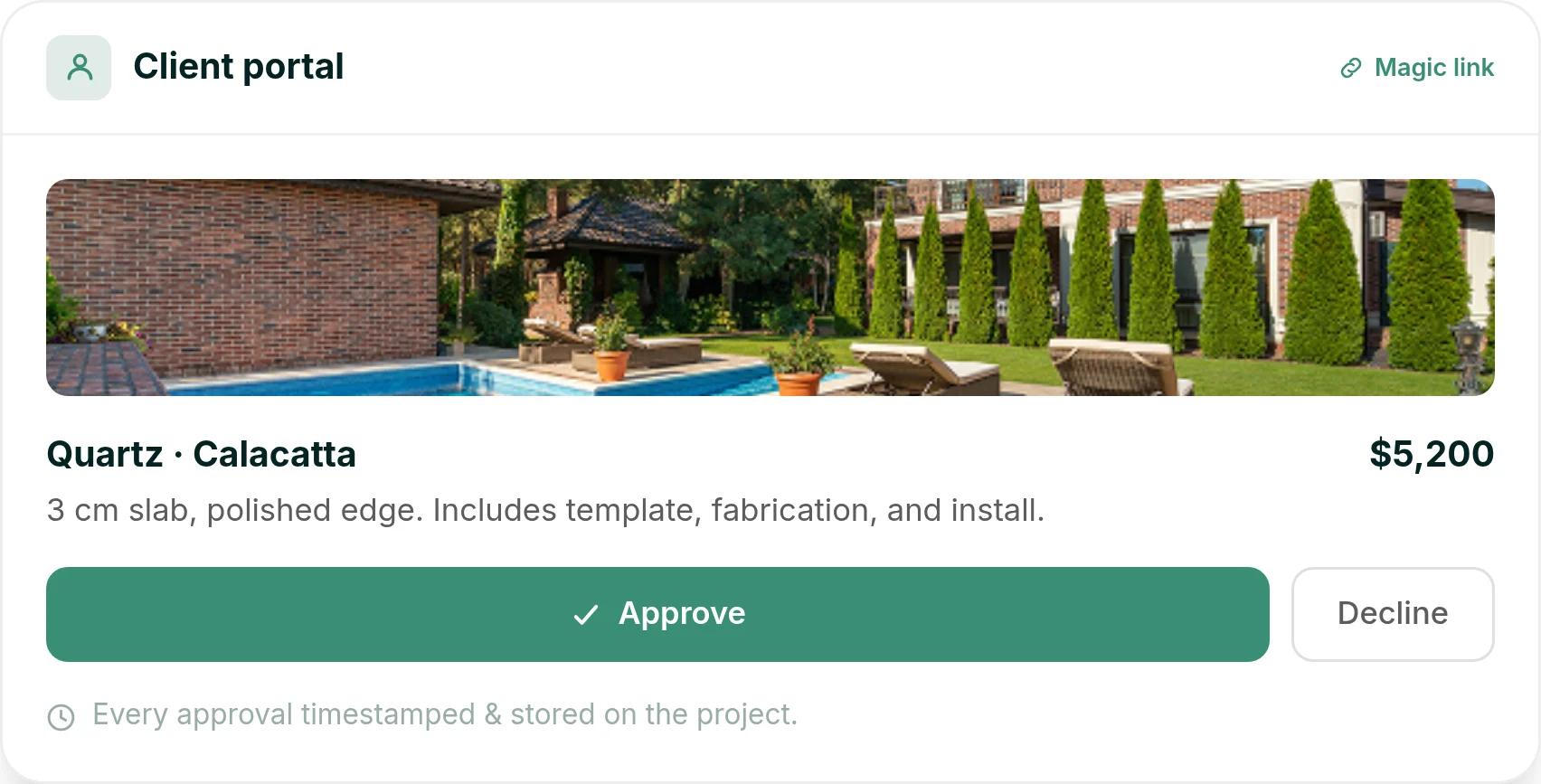
Here is a hypothetical. You release a Calacatta quartz countertop at $5,200 to your client in Ressio selections. They tap the magic link, see the slab, the finish and the price, and approve it.
The approval is timestamped, and the $5,200 updates your estimate and budget on its own.
3. Client messages on the job
Donavyn A., a project manager and estimator, likes JobTread. He also wrote: "If Jobtread can add a better messaging inclusion with the software it would be all there for our company" (Capterra, October 2025).
JobTread's customer portal already keeps client comments and replies in one place. Donavyn wanted more from it.
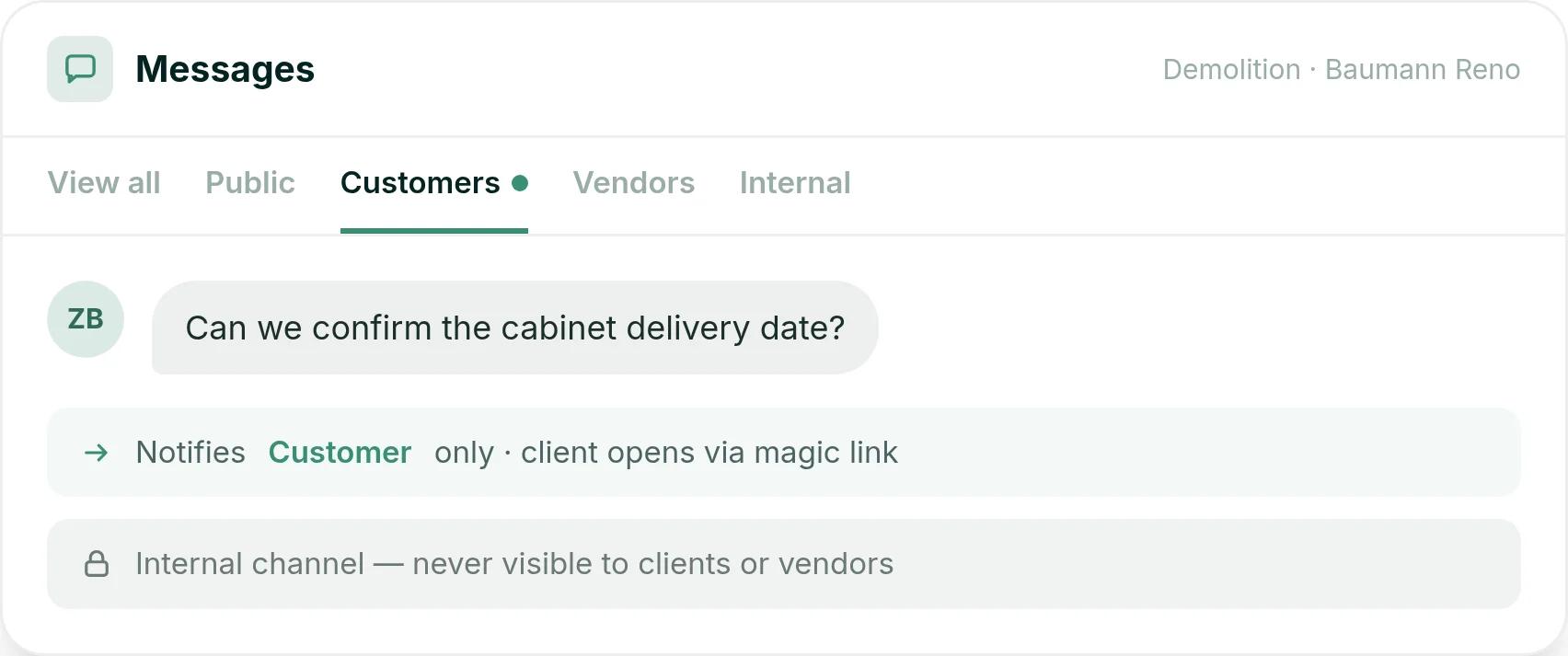
In Ressio messaging, every task has its own thread with four channels: internal, customer, vendor and public.
Say your client asks "Can we confirm the cabinet delivery date?" on the demolition task. Only the client is notified, they reply by magic link, and the thread stays on the job where your whole team can find it, while the client never sees your internal notes.
Why custom builders comparing JobTread look at Ressio
JobTread is built for a broad range of trades. We build Ressio for custom builders and remodelers, who are 99% of the builders we work with.
For a side-by-side of the two products, see Ressio vs JobTread. "We found that it is easy to adopt the features that we want and need into our day to day processes," says Lisa D., a builder on Ressio.
Comparing JobTread with Ressio on your own work? Book a Ressio demo and bring a live job.
Frequently Asked Questions
Is JobTread any good?
By the reviews, yes, and consistently so across Capterra, Software Advice and G2. The caveats reviewers raise are about fit: setup takes real configuration time, some find the selections screens clunky, and some want better built-in messaging.
What do custom home builders use instead of JobTread?
We build Ressio for custom and semi-custom home builders. We keep the estimate, budget, selections and client updates in one job file, and subs work from a magic link.
What do JobTread reviews say about setup time?
Reviewers describe a real configuration period before the first job runs. In Ressio, most teams are running their first real job within two hours of onboarding.
What do JobTread reviews say about selections?
Some JobTread reviewers find selections hard to use. On Capterra, a COO called the selections interface clunky, and another builder named selection items as the hardest part of JobTread to use.