
Buildertrend reviews
Buildertrend reviews range from 2.4 on Trustpilot to 4.5 on Software Advice. Here are the three complaints that repeat, and how each one works in Ressio.

Ressio Staff
October 9, 2026
Buildertrend's review scores do not agree with each other, and the gap is not small. Trustpilot shows 2.4 out of 5 and Software Advice shows 4.5 out of 5.
Both numbers are real, and they come from different groups of people. Below is what the reviews consistently complain about, and how each one works in Ressio, the platform we build for custom and semi-custom home builders.
What Buildertrend reviews show
The scores split by where the review was left. Eight reviews on Trustpilot average 2.4; 2,486 on Software Advice average 4.5.
| Source | Score | Reviews |
|---|---|---|
| Trustpilot | 2.4 / 5 | 8 |
| Software Advice | 4.5 / 5 | 2,486 |
What Buildertrend reviews complain about, and how we handle it
Three complaints repeat across Buildertrend reviews on Capterra. Each one below starts with what reviewers say, then shows how we handle the same job in Ressio.
1. Too many features to learn before the team gets value
Buildertrend covers a lot of ground. Reviewers like that, and many also say the size of it slows the first months.
"The main drawback of Buildertrend is that it can be overwhelming at first due to the sheer number of features and options," wrote a verified reviewer in April 2026. Mark B., a VP of sales and estimating, added that some features "overlap and require time to configure in order to fit internal processes" (Capterra).
Picture a builder with three custom homes underway. Every week spent configuring is a week the estimate, the schedule and the budget still live in separate places.
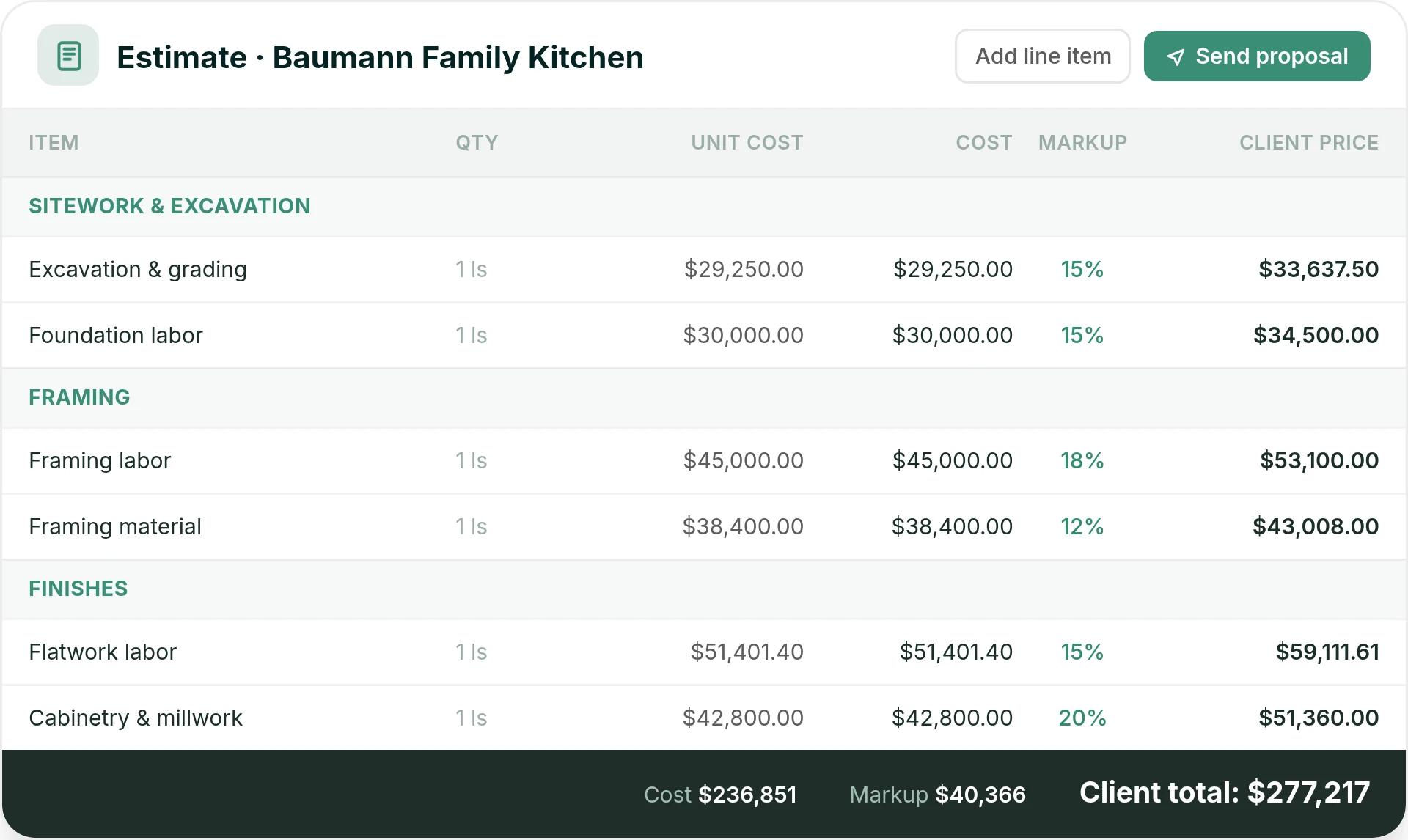
In Ressio estimating, you build the estimate once and it flows into the proposal, the budget, change orders and invoices. When the client signs, the locked estimate becomes the job budget.
2. Subs and field crews who never log in
Ben T., a renovation project manager, likes Buildertrend's scheduling. He still noted that "not all subcontractors were fast to transition to the app" (Capterra, July 2025).
Salina T., an operations coordinator, saw the same thing with her own crew. She wrote that "the adoption of the technology would be challenging for our labour force that was used to paper" (Capterra, July 2026). When a framer will not log in, you become the relay, texting every schedule change by hand.
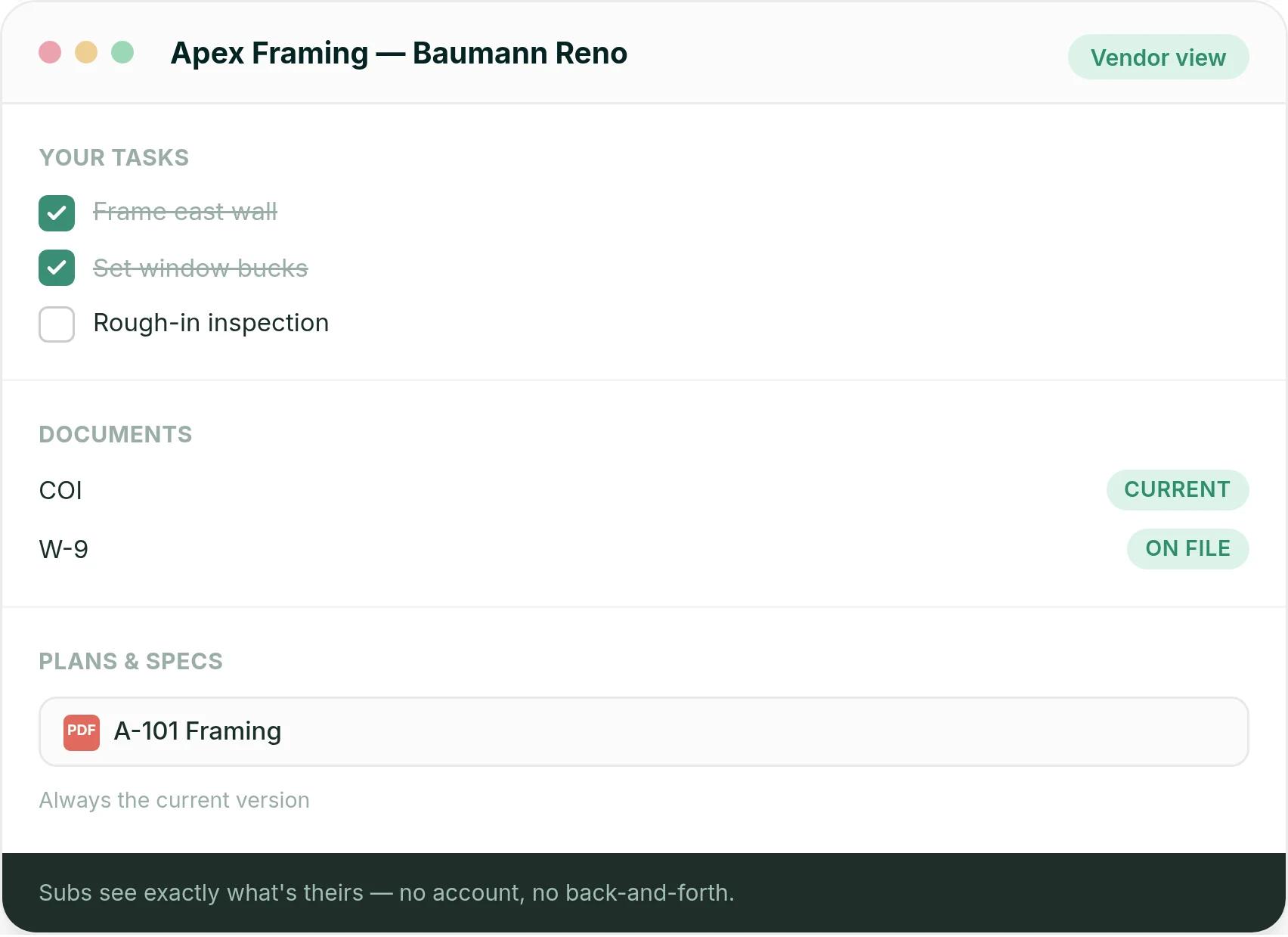
Our vendor portal has no login. A sub gets an email with a magic link, taps it, and sees only their own tasks, dates, specs and documents. They can confirm a task and message your team from that same screen.
3. Client selections that are hard to manage
Adriano H., an estimator who gives Buildertrend five stars, still said the "Selections" tab for homeowners "is not very user friendly" (Capterra, June 2025). Shauna H. wrote that her team ended up "having to rearrange and re enter what we had already put in" (Capterra, November 2025).
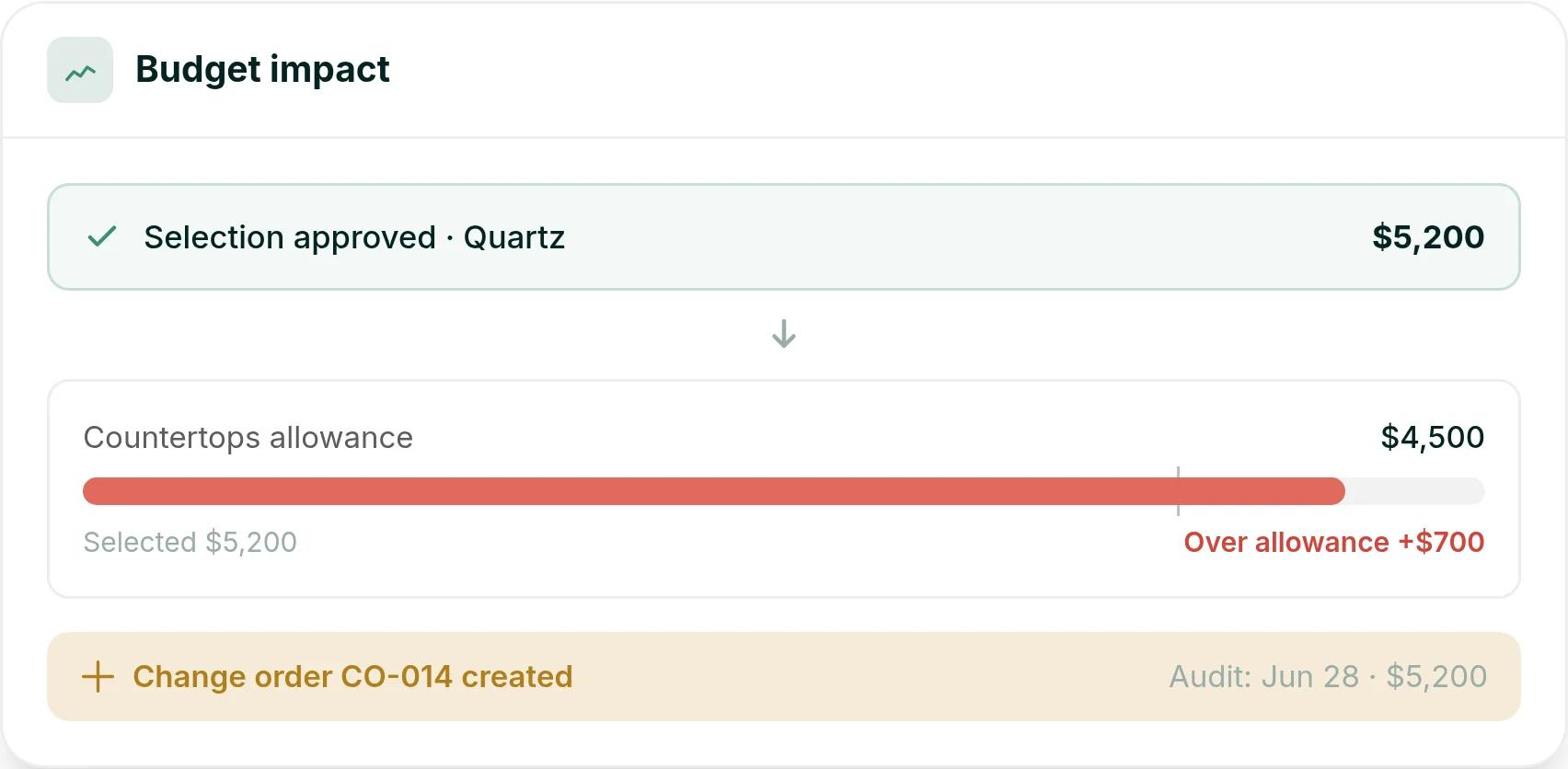
Here is a hypothetical. A client picks a $5,200 quartz countertop against a $4,500 allowance.
In Ressio selections, the client approves the countertop in their portal by magic link, and the approval is timestamped. The $5,200 updates the estimate and budget on its own. Because it is $700 over the allowance, a change order is created.
The praise is consistent too, and it is worth knowing
The homeowner portal is the thing reviewers like most. Clients get schedules, selections, approvals and progress photos in one place, and for a builder whose competitors email PDFs, that is a real differentiator on the sales call.
QuickBooks and Xero syncing, and field staff uploading from the job site, come up nearly as often. These are not small things.
Why builders switch from Buildertrend to Ressio
We build Ressio for custom and semi-custom home builders. That focus shows most in how subs use Ressio: from a magic link, with no login.
Keith Hill runs three to five custom homes at a time at Shade Tree Homes in Fort Mitchell, Kentucky, and moved to Ressio from Buildertrend. "Estimates are easier to assemble and send to clients," he says, and "our confidence level is much higher with Ressio" (read the Shade Tree story).
Want to see your estimate, schedule and budget working as one record? Book a Ressio demo and bring a live job.
Frequently Asked Questions
Is Buildertrend worth it?
For residential builders who want one system covering scheduling, selections, client communication and job costing, most reviewers say yes, and the homeowner portal is the feature they name. The consistent objections are the time it takes to learn, subs who are slow to use the app, and a selections tab some reviewers find hard to use.
What do builders switch to after Buildertrend?
Most of the builders who come to us run a handful of custom homes a year and want one job file rather than a platform to administer. Ressio holds the estimate, budget, selections and client updates together, and subs work from a magic link, with no account to set up.
Is Procore better than Buildertrend?
They are built for different work. Procore is sized for commercial general contractors and large organizations. For a builder running a handful of custom homes a year, that is a heavier system than the job needs.
What do Buildertrend reviews complain about?
Three complaints repeat in Buildertrend reviews on Capterra: too many features to learn before the team gets value, subs and field crews who never log in, and client selections that are hard to manage. Reviewers still praise the homeowner portal, QuickBooks and Xero syncing, and uploads from the job site.