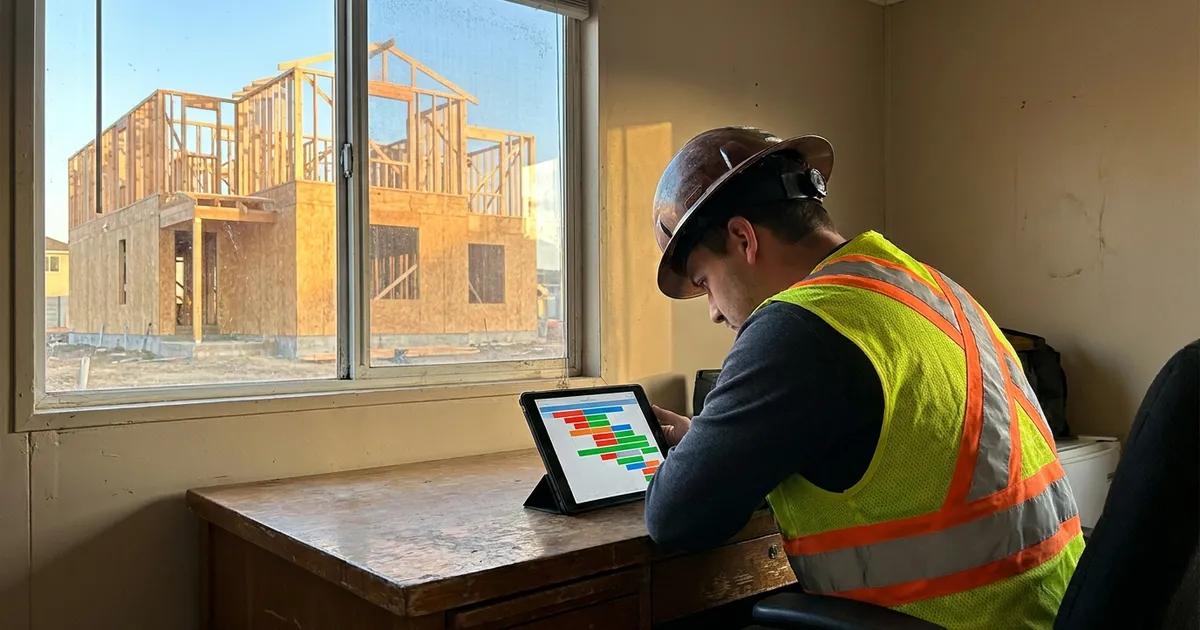
Best construction scheduling software
Almost every tool on a list of the best construction scheduling software will let you build a Gantt chart. What separates them is what happens when a date moves, because that is the only thing a schedule is for. The criteria below are the ones that produce different answers between products.

Ressio Staff
October 10, 2026
The best construction scheduling software does one thing well: when a date moves, everything that depends on it moves too. Most tools can draw a Gantt chart. Fewer keep the schedule true once the job starts slipping.
This guide compares eight construction scheduling tools, who each one is built for, and where each falls short. If you build custom homes, start with Ressio.
The best construction scheduling software at a glance
| Tool | Best for | Dependencies recalculate | Connected to budget and job costs |
|---|---|---|---|
| Ressio | Custom and semi-custom home builders | Yes, every downstream task | Yes |
| Buildertrend | High-volume builders | Yes | Yes |
| Houzz Pro | Designers and design-led remodelers | Yes | Partly |
| Procore | Large commercial contractors | Yes | Yes |
| Outbuild | General contractors who work in lookaheads | Yes | Partly |
| Primavera P6 | Heavy commercial and civil work with strict critical path requirements | Yes, full critical path | No |
| Microsoft Project | General project management | Yes | No |
| Fieldwire | Field crews working from plans | Task-level only | Partly |
1. Ressio: best construction scheduling software for custom home builders
Ressio is construction management software for custom and semi-custom home builders. Our construction scheduling is built around phases, dependencies, subs and clients, and it sits in the same job file as your budget and change orders.
One builder summed up the setup in a Capterra review: "We found that it is easy to adopt the features that we want and need into our day to day processes." Most teams run their first schedule in Ressio within an hour, starting from a template or a past project.
Change one date and the rest of the schedule follows
On a spreadsheet schedule, a two-day slip means someone changes every date after it by hand and then calls each sub with the new one. That is the work Ressio takes off your desk.
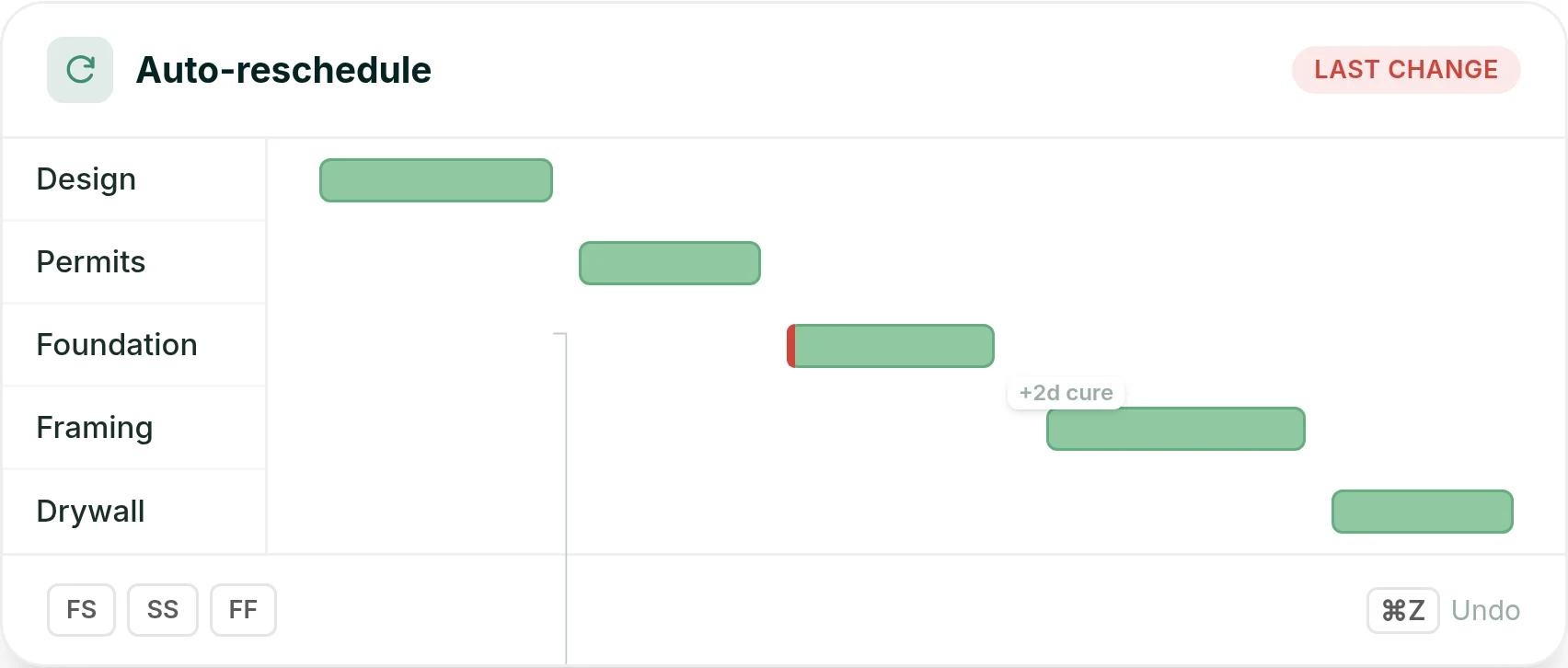
You link tasks with finish-to-start, start-to-start or finish-to-finish dependencies, and add lag where you need it. When a task moves, every downstream task reschedules on its own. A red tab shows where the last change was made, and you can undo it.
Here is a hypothetical example. You add a two-day cure after the foundation pour, and framing and drywall shift by two days without calling anyone.
See what a delay costs
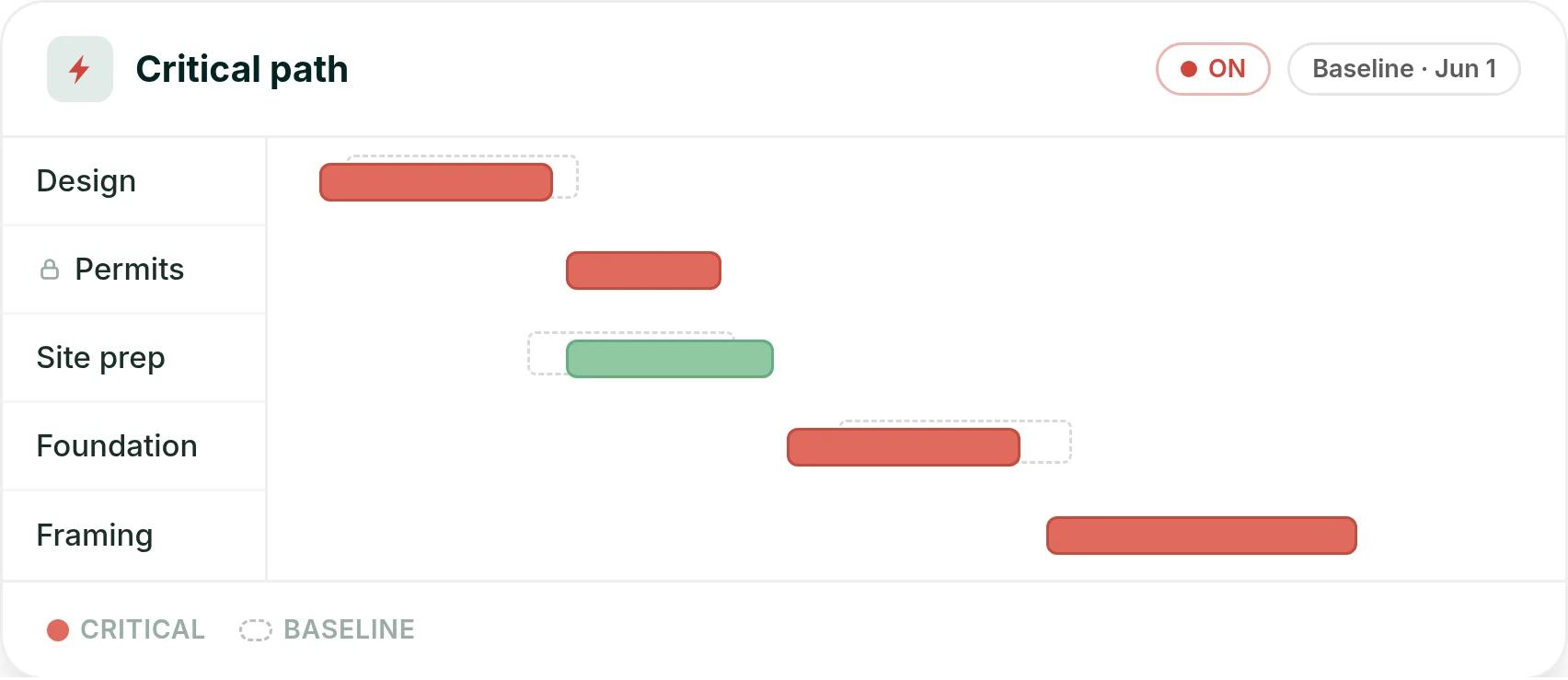
Turn on critical path and Ressio highlights the tasks that move your completion date. Set a baseline at the start of the job, and you can compare where you are against the plan you started with.
Subs and clients see their part, and only their part
You choose what each person sees. In the client portal, a client can get the timeline without your financials or notes. A sub gets a magic link to their own task and can confirm it from the notification, with no login.
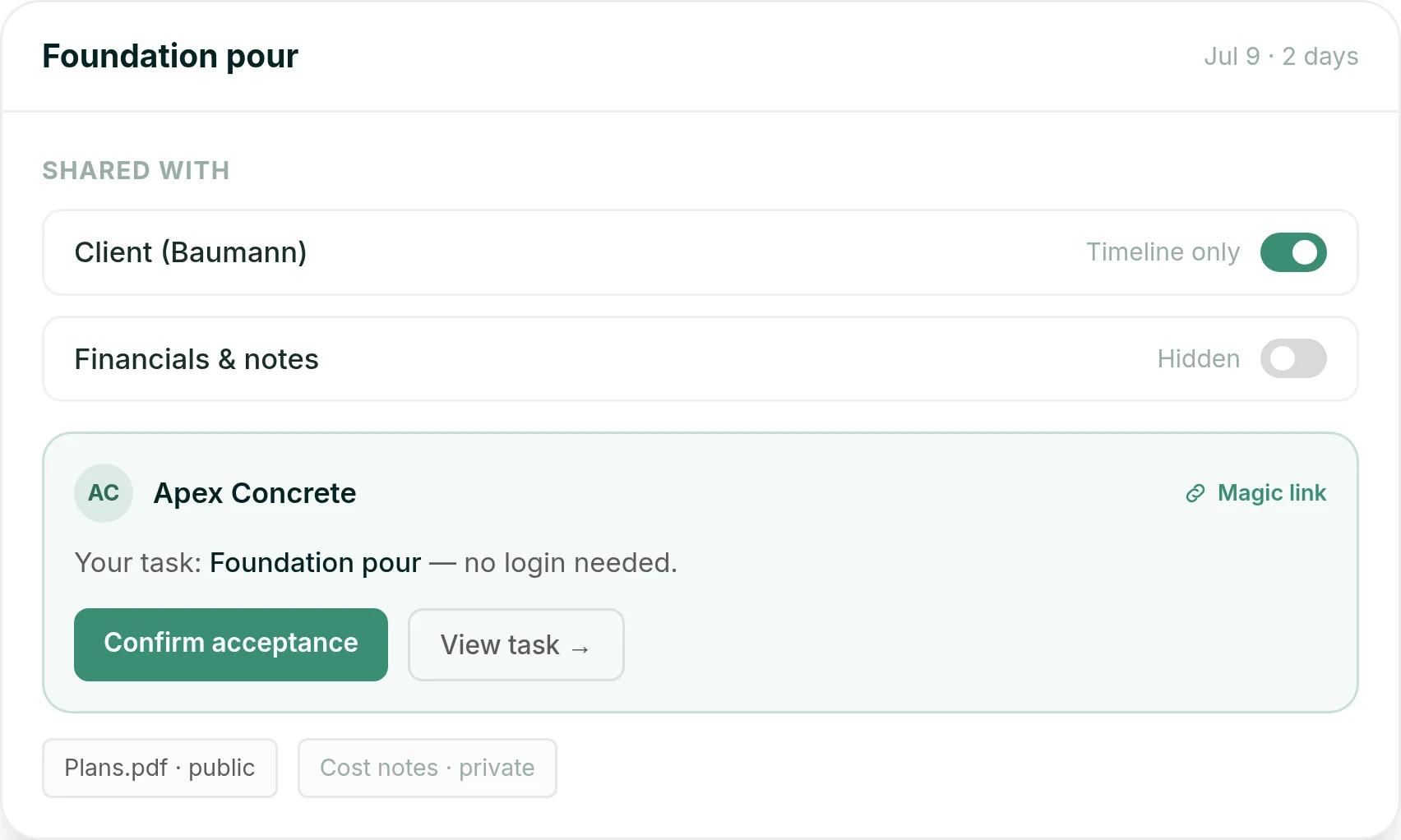
Picture a hypothetical foundation pour set for July 9. The client sees it on their timeline, and Apex Concrete gets the task by magic link with the plans attached, while your cost notes stay private.
Field updates land on the schedule
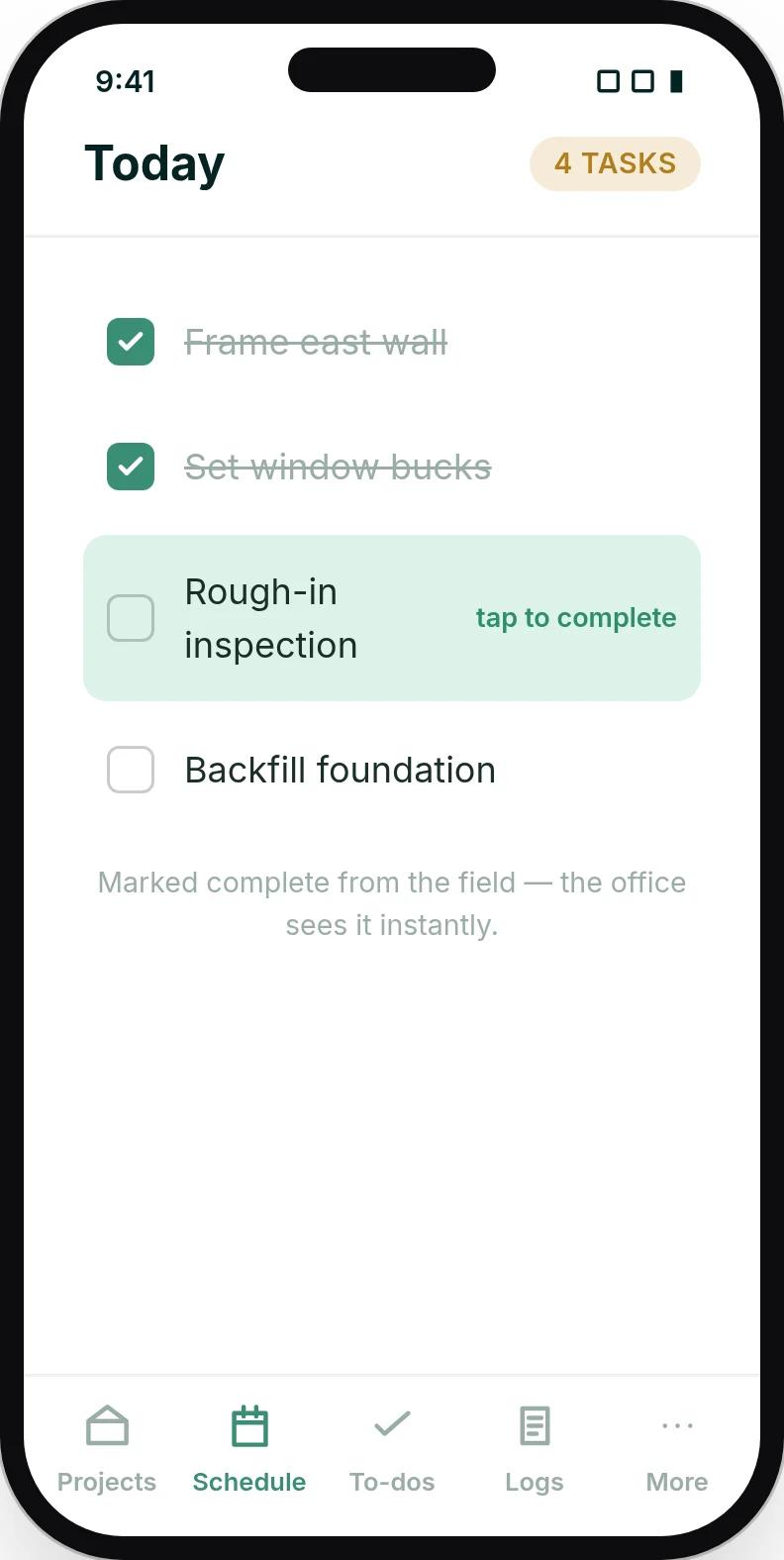
Your crew works the schedule from a phone, with no app to download. They mark a task complete from the site, and the schedule updates for the office in real time, without a status call.
Mason, our AI assistant, also drafts the daily log from that day's scheduled tasks, so the log gets written. And you can subscribe your Ressio schedule to Google Calendar or Microsoft Outlook, so changes show up on your team's calendar.
The schedule is tied to the money
Because the schedule lives in the same system as your budget, daily logs and change orders, a delay shows up everywhere it matters. You are not keeping the schedule in one tool and the money in another.
Sloane Construction got more than 10 hours a week back after moving to Ressio from Procore. Book a Ressio demo to see your own schedule move when a date changes.
2. Buildertrend: best for high-volume builders
Buildertrend puts scheduling inside a full residential builder platform. It suits high-volume builders and teams that run many jobs a year. Sales, schedules, budgets and client updates all live in one place.
Its scheduler handles day-to-day changes well. An office manager wrote that "the scheduling is also very user friendly and easy to make small changes without having to redo a whole schedule." (Becca N., office manager, Capterra, December 2024)
Getting subs on board is harder. A renovation project manager found that "not all subcontractors were fast to transition to the app." (Ben T., renovation project manager, Capterra, July 2025)
In Ressio, subs get their tasks from a magic link. There is no app to install and no account to set up. They can confirm the task right from the message.
Buildertrend starts at $499 a month for the full platform, with unlimited users. Paying a year up front saves 10%. Your final price depends on your yearly construction volume and onboarding package.
3. Houzz Pro: best for designers and design-led remodelers
Houzz Pro pairs a Gantt schedule with a client view, plus design tools and a lead channel. It suits smaller residential firms, interior designers and design-led remodelers whose clients find them on Houzz. Clients can message you and pay invoices in the same app.
It covers a lot in one login. A director of operations wrote that "everything can be done within a single platform." (Hannah L., director of operations, Capterra, August 2025)
Learning it all takes time. One CEO wrote that "only 30 min trainings at a time make it hard to fully learn the system." (Isaac L., CEO, Capterra, September 2025)
Most teams run their first schedule in Ressio within an hour.
4. Procore: best for large commercial contractors
Procore suits large commercial general contractors, specialty contractors and owners who want one platform across field and finance. Its schedule connects to job costs, and every company on a project can work in it.
Field teams always see the latest drawings. One assistant project manager praised "the real time updating of drawings and progress pics so everybody on my team knows where we stand". (Joe W., assistant project manager, Capterra, June 2026)
A project manager on the owner side noticed: "The construction projects that use ProCore don't put their project schedules in ProCore". (Jessica P., sustainability project manager, Capterra, February 2025)
Procore charges an upfront annual fee for each product. The fee is based on your annual construction volume, which is the total dollar value of the work across your projects.
5. Outbuild: best for general contractors who plan in lookaheads
Outbuild is construction scheduling for general contractors. It links the master schedule to lookaheads and weekly work plans, so foremen can plan the next few weeks together. It also connects to Procore.
Field buy-in is its strength. "During my foremen meetings, I have helped to collaborate with our foremen on a 3-week lookahead to get their buy-in!" (Easton D., project engineer, Capterra, May 2025)
A project manager wrote that "Some of the daily tasks are more difficult to manipulate and change dates". (Suzanne C., project manager, Capterra, March 2024)
Outbuild Core starts at $999 a month, billed yearly, with unlimited users. Outbuild Pro is priced on request.
6. Primavera P6: best construction scheduling software for heavy civil work
Primavera P6 is Oracle's scheduling tool for heavy commercial, civil and energy work. It suits large firms with strict critical path rules in their contracts. The critical path is the chain of tasks that sets your finish date.
Planners trust its critical path engine. "Oracle Primavera P6 is one of the best Project Scheduling tool that works on Critical path Method." (Muhammed Anshad K., planning engineer, Capterra, April 2020)
It is a lot of tool for a small job. A project controls analyst wrote that "it does not make sense to use it for smaller projects". (Nikhil K., project controls analyst, Capterra, October 2017)
Budgets and cash flow sit in a separate Oracle product, Primavera Unifier. Ressio gives custom builders critical path and baseline tracking next to the budget. Most teams run their first schedule in Ressio within an hour.
7. Microsoft Project: best for general project management
Microsoft Project is general project management software, not a construction tool. It suits teams that already work in Microsoft and plan many kinds of projects, not only builds.
It is a capable scheduler. Project Standard 2024 includes Gantt charts, baselines, milestones, critical path and resource leveling. Resource leveling spreads work so no one is booked twice.
It is not built around subs and clients. Each desktop license covers one user on one PC.
In Ressio, subs and clients see their part of the schedule from a magic link, with no login. Clients see the timeline only, not your notes or numbers. Subs see their own tasks and can confirm them from the message.
Project Standard 2024 is a one-time purchase of $679.99. Project Professional 2024 is $1,129.99.
8. Fieldwire: best for field crews working from plans
Fieldwire, owned by Hilti, tracks field tasks and punch items on a phone or tablet. It suits specialty contractors and small field teams who work from drawings. Its schedule is built from field tasks, shown as a Gantt chart, a calendar or a Kanban board.
Crews like tasks pinned to the plans. "I also enjoy how the tasks and checklists can be added to our maps and plans." (Sarah R., project manager, Capterra, November 2020)
It does not cover bids or estimating. "No good for bids or estimating." (Jonathan M., project manager, Capterra, June 2021)
Ressio includes estimating, and the signed estimate becomes the job budget.
The Basic plan is free for up to 5 users and 3 projects. Paid plans are priced per user per month, billed yearly: Pro is $39, Business is $64 and Business Plus is $89.
What to look for in construction scheduling software
Check these four things before you choose a construction scheduling tool.
- Dependencies that recalculate. Moving one task should move everything after it. In Ressio it does.
- Access for subs and clients without a paid seat. If people need a license to see their dates, they call you instead. Ressio uses magic links.
- A schedule tied to the budget. When a change order or selection lands, the schedule should be in the same system. In Ressio it is.
- A mobile view built for the field. Crews read the schedule on a phone. Ressio runs in any phone browser with no app download.
Frequently Asked Questions
What is the best construction scheduling software?
The best construction scheduling software depends on the work you do. For custom and semi-custom home builders, Ressio connects the schedule to the budget, subs and clients in one job file. Primavera P6 suits heavy commercial and civil work with strict critical path rules, and Procore suits large commercial contractors.
What is the most important feature in construction scheduling software?
Dependencies that recalculate. When one task moves, every task that depends on it should move too. In Ressio you change one date and every downstream task reschedules, with a marker showing where the last change was made.
Can you make a construction schedule in Excel?
Yes, for one simple job. But spreadsheet dates do not move on their own, so every delay means someone retypes the dates after it. Construction scheduling software like Ressio moves the downstream tasks for you and keeps subs and clients updated.
How do subcontractors see the schedule?
In Ressio, subs get a magic link by email that opens their own tasks, dates and files, with no login. They can confirm the task from the notification. Clients can see the timeline you choose to share, without your internal notes or financials.